Here I share notes on the course objectives of the ‘Malware development course’ offered by Maldev Academy. Here I show how I complete the module objectives in the course. I also make more general notes on the course material
" A high-level programming language is a programming language with strong abstraction from the details of the computer. In contrast to low-level programming languages, it may use natural language elements, be easier to use, or may automate (or even hide entirely) significant areas of computing systems (e.g. memory management), making the process of developing a program simpler and more understandable than when using a lower-level language. The amount of abstraction provided defines how “high-level” a programming language is. "
Source " A low-level programming language is a programming language that provides little or no abstraction from a computer’s instruction set architecture, memory or underlying physical hardware; commands or functions in the language are structurally similar to a processor’s instructions.[vague][citation needed] These languages provide the programmer with full control over program memory and the underlying machine code instructions. Because of the low level of abstraction (hence the term “low-level”) between the language and machine language, low-level languages are sometimes described as being “close to the hardware”. "
So, to summarize: high-level programming languages offer benefits like ease and understandability, while low-level programming languages provide more control.
Source " Antivirus software was originally developed to detect and remove computer viruses, hence the name. However, with the proliferation of other malware, antivirus software started to protect against other computer threats. Some products also include protection from malicious URLs, spam, and phishing.
Antivirus software itself usually runs at the highly trusted kernel level of the operating system to allow it access to all the potential malicious process and files, creating a potential avenue of attack.[158] The US National Security Agency (NSA) and the UK Government Communications Headquarters (GCHQ) intelligence agencies, respectively, have been exploiting anti-virus software to spy on users.[159] Anti-virus software has highly privileged and trusted access to the underlying operating system, which makes it a much more appealing target for remote attacks.[160] Additionally anti-virus software is “years behind security-conscious client-side applications like browsers or document readers. It means that Acrobat Reader, Microsoft Word or Google Chrome are harder to exploit than 90 percent of the anti-virus products out there”, according to Joxean Koret, a researcher with Coseinc, a Singapore-based information security consultancy. " Cloud antivirus is a technology that uses lightweight agent software on the protected computer, while offloading the majority of data analysis to the provider’s infrastructure.[
Some antivirus vendors maintain websites with free online scanning capability of the entire computer, critical areas only, local disks, folders or files.
Content Disarm & Reconstruction (CDR) technology protects a network from malware by removing components from inbound files which do not rigorously conform with the standards of that file type. It does so by rebuilding the original files without any illegitimate components present. Part of the CDR process may also involve flattening and converting the reconstructed files to Portable Document Format (PDF) for maximum safety.
Identification methods
To summarize: Antivirus software has several capabilities, including real-time protection, signature-based and machine learning detection, rootkit detection, heuristics (less exact, more fuzzy recognition, to prevent f.e. metamorphic malicious software. In addition to issues with false and true positive rates (and unknown unknowns), the level of access and control of antivirus software and its own security can lead to far-reaching problems.
I used the prebuilt Maldev VM, so no need 🙂
Features/options of interest:
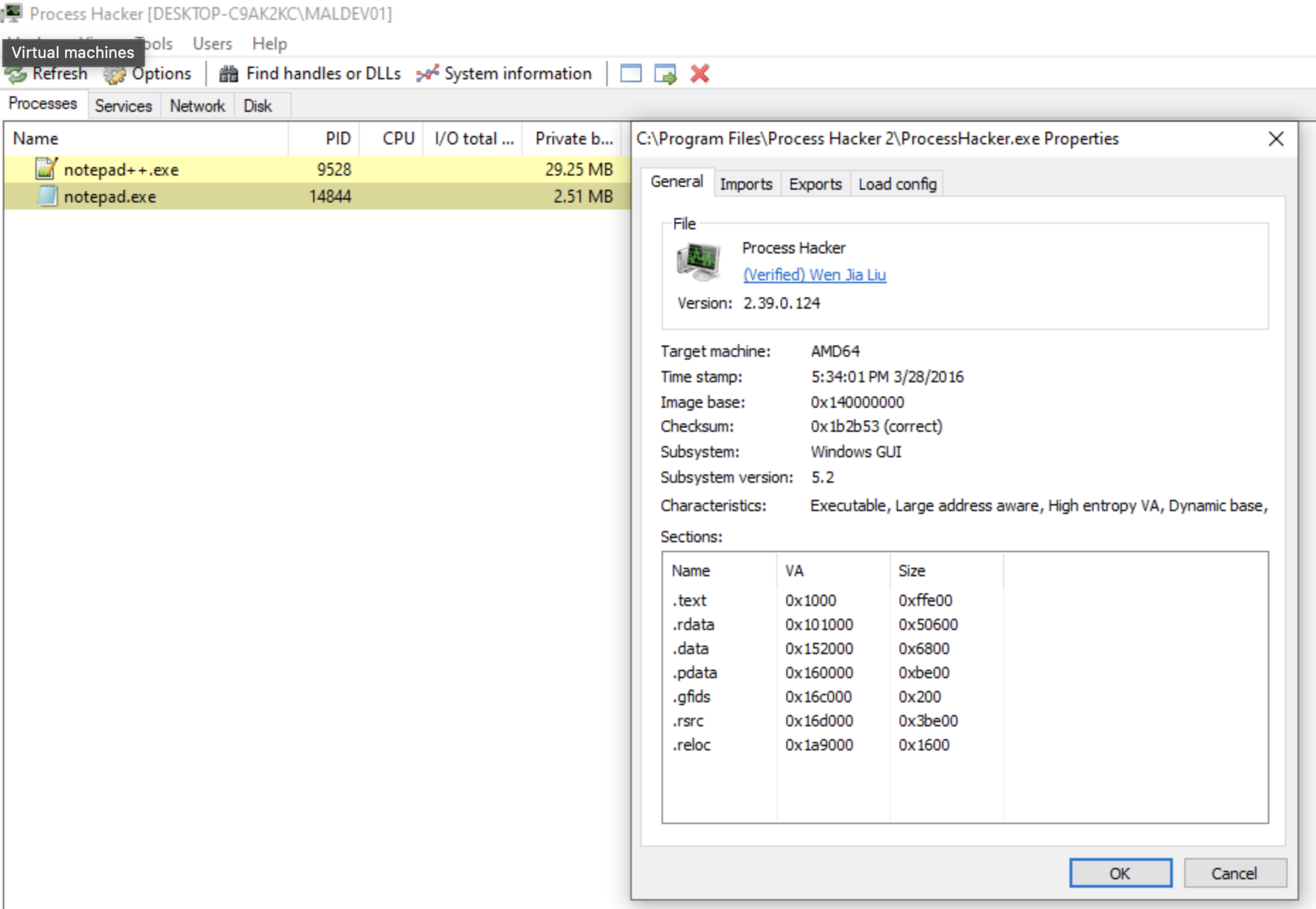
‘Inspect executable file…’
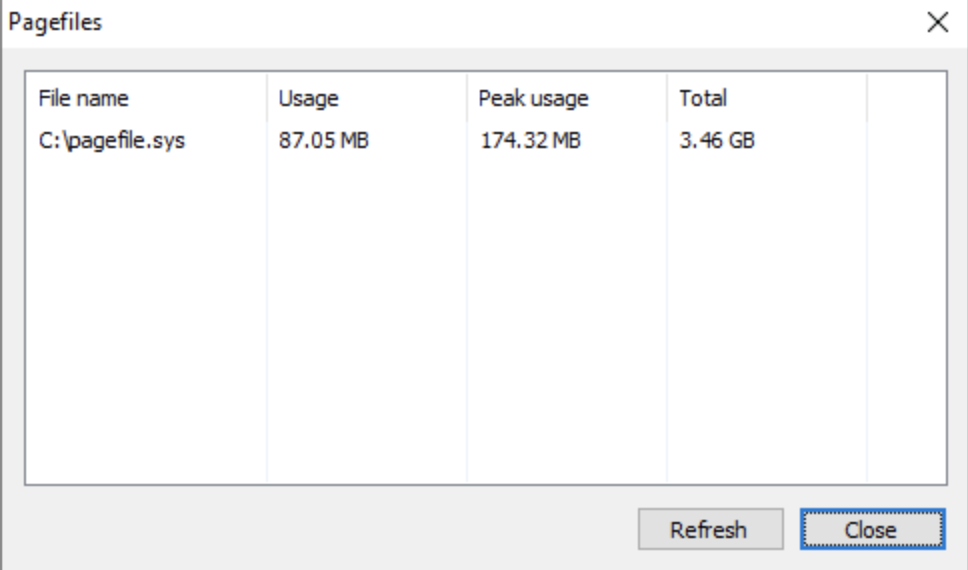
‘Pagefiles’
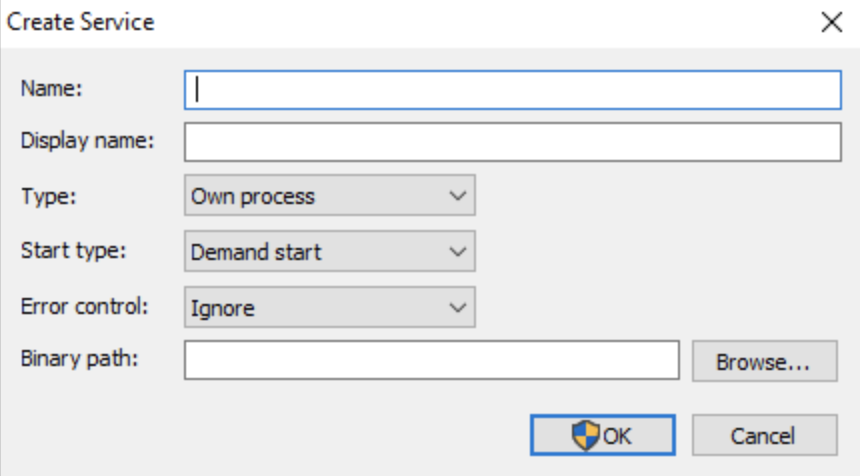
‘Create Service’
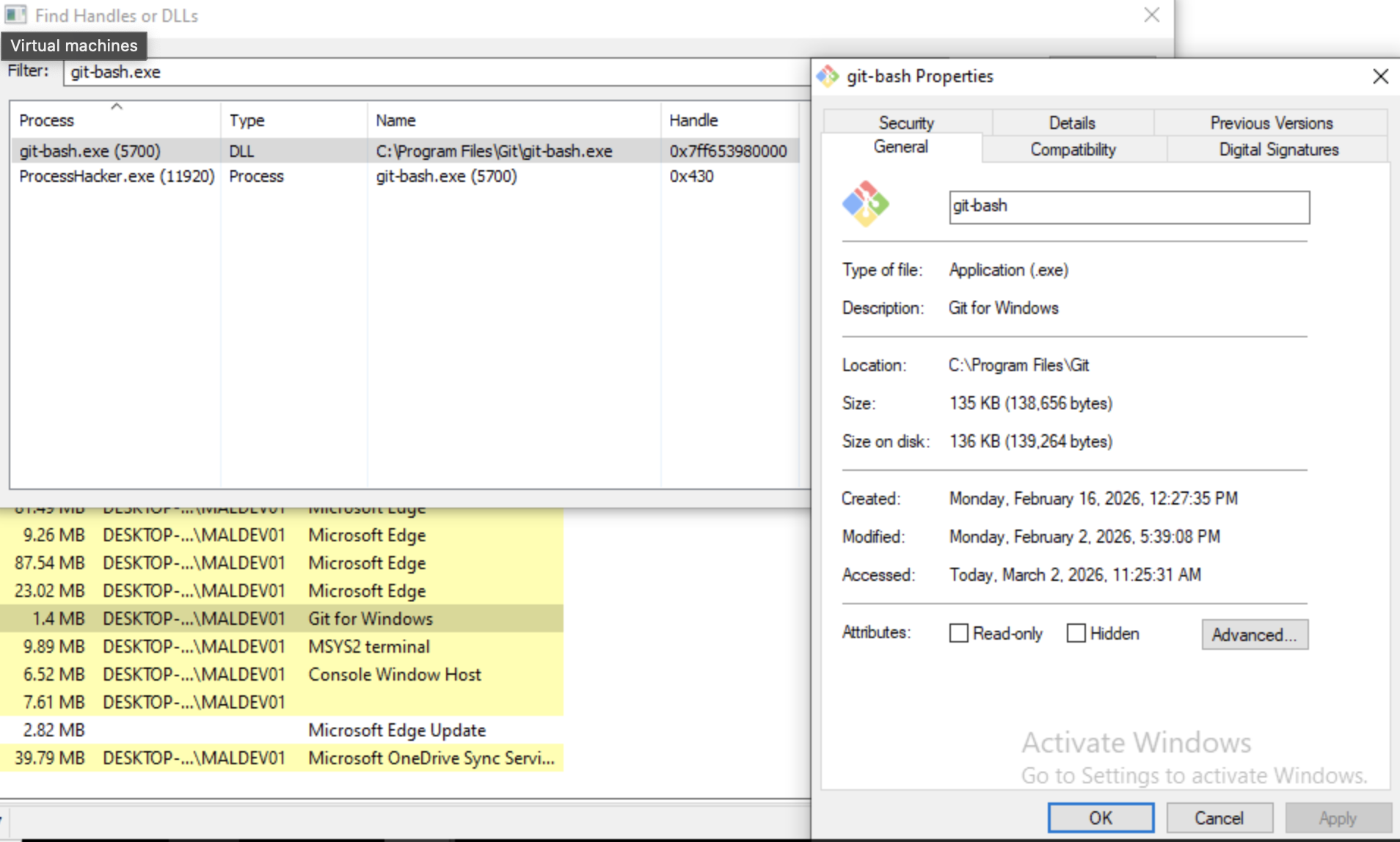
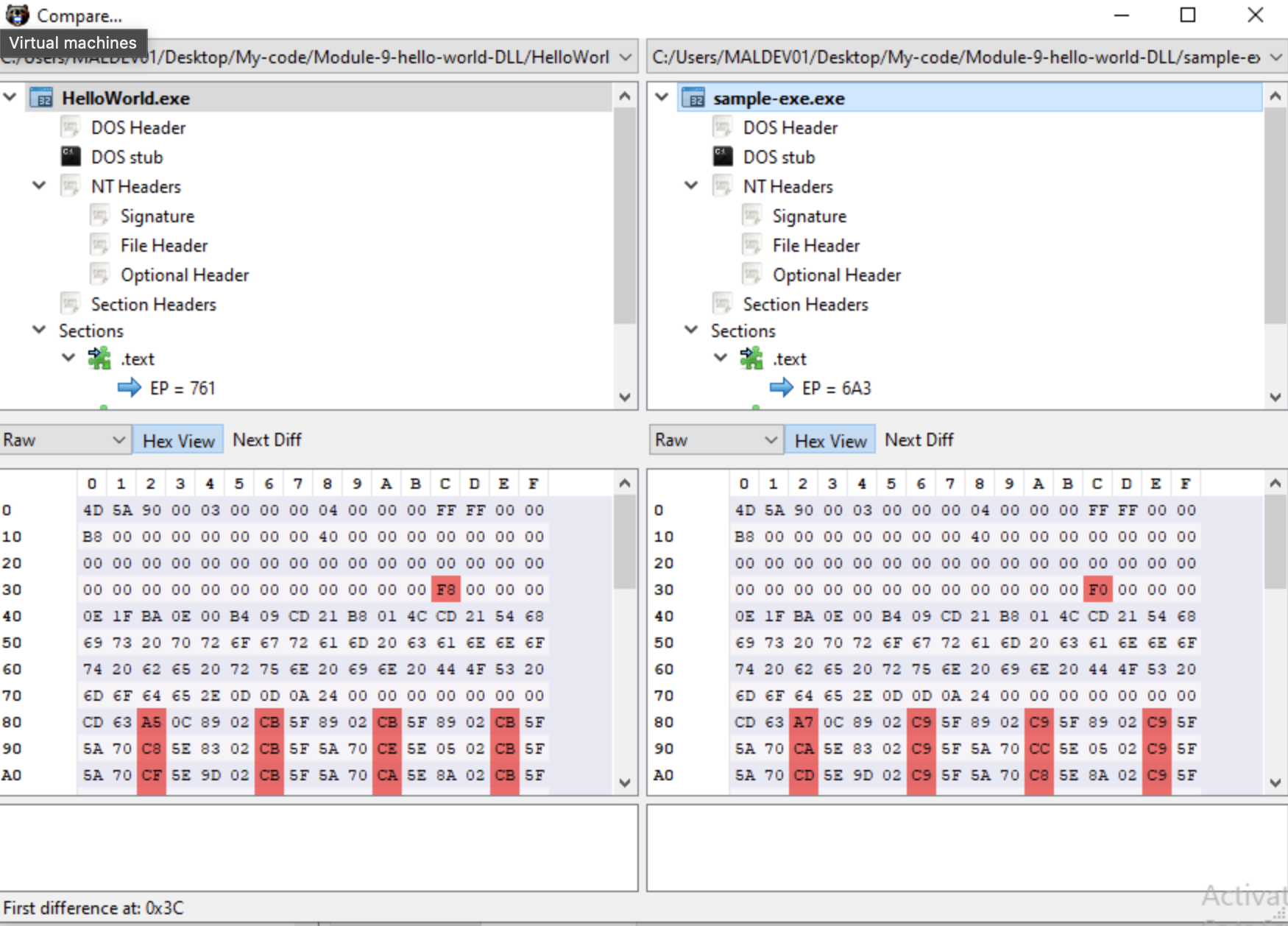
‘Compare’
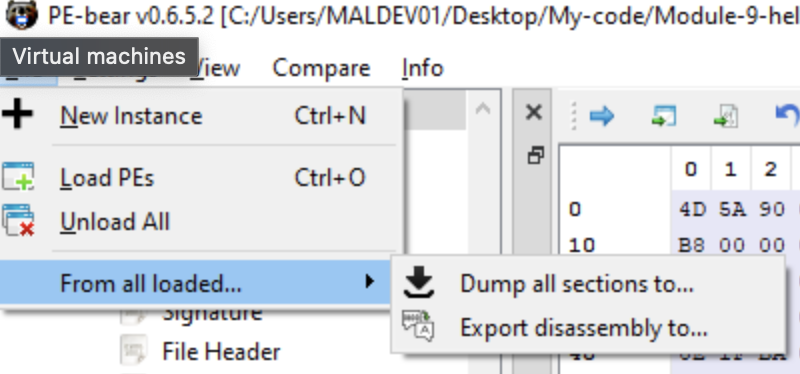
‘From all loaded…’ -> ‘Dump all sections to…’ & ‘Dump disassembly to…’
Sysinternals features too many tools to view all the options or features of. Instead here I want to focus on tools I’m personally not familiar with.
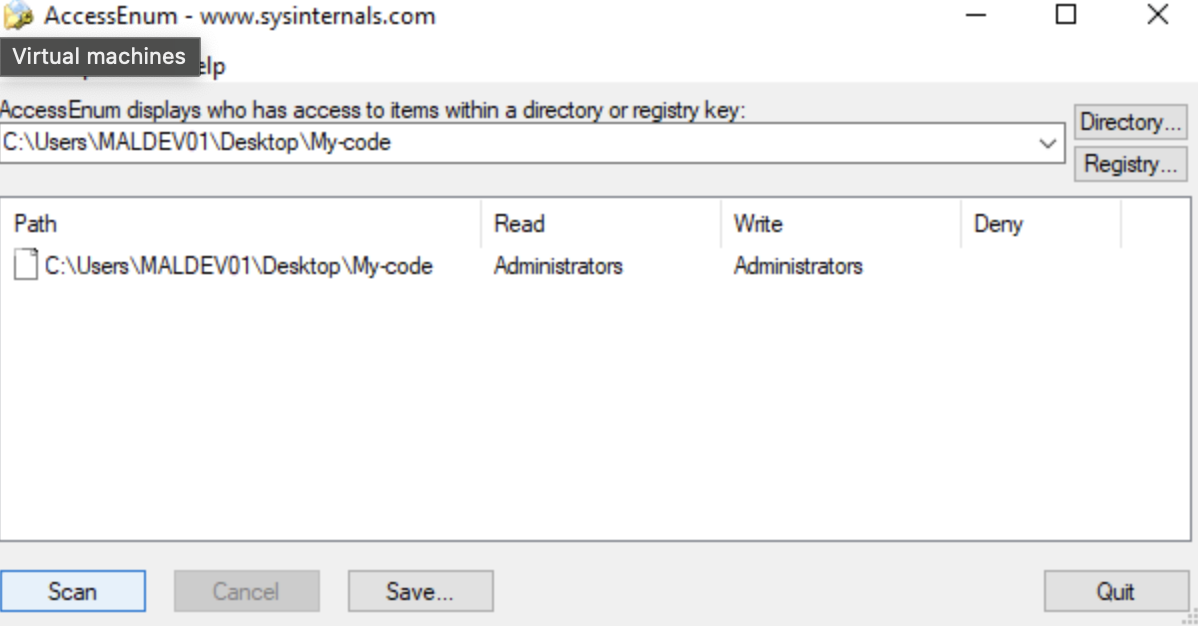
‘AccessEnum’
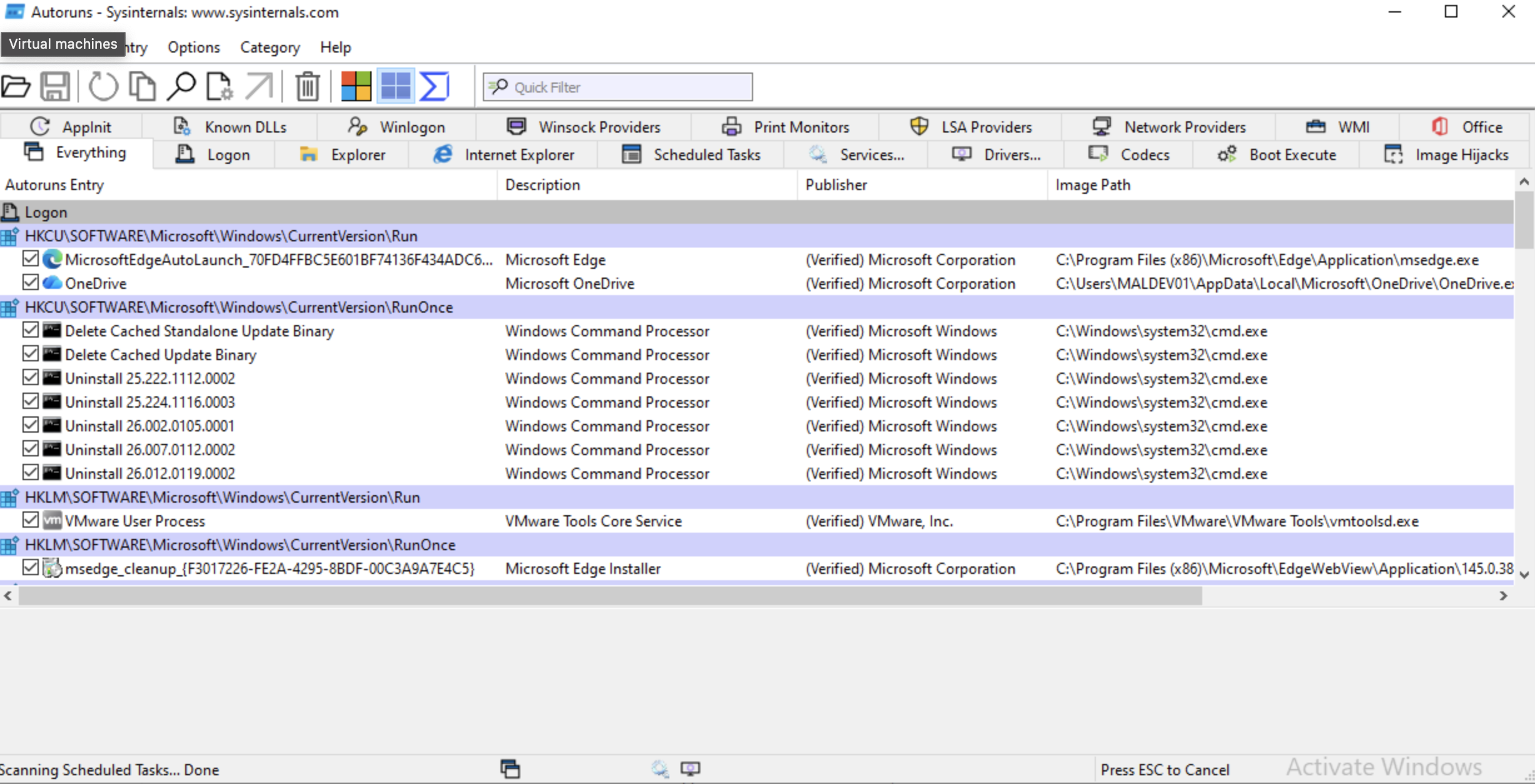
‘Autoruns’
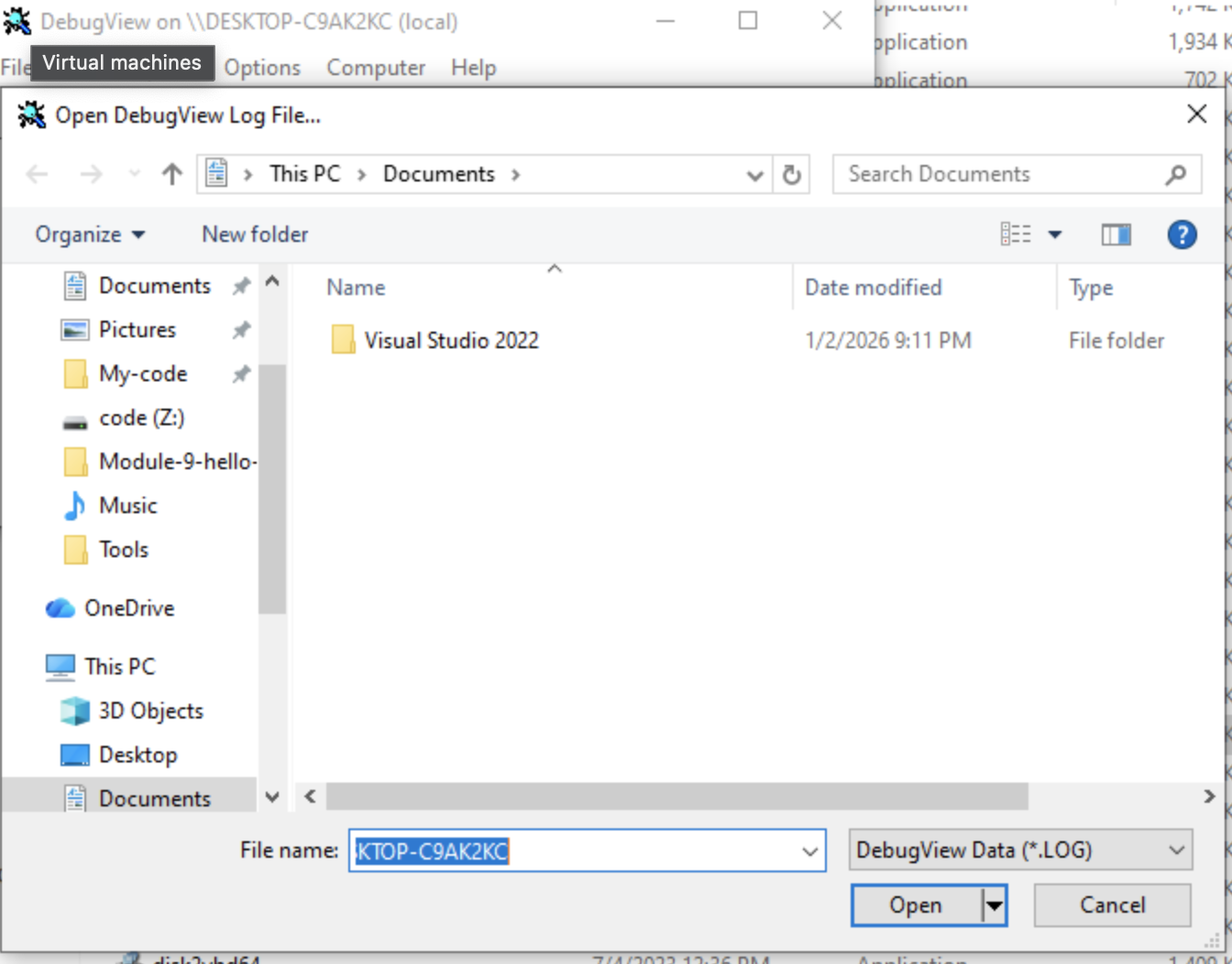
‘Dbgview’
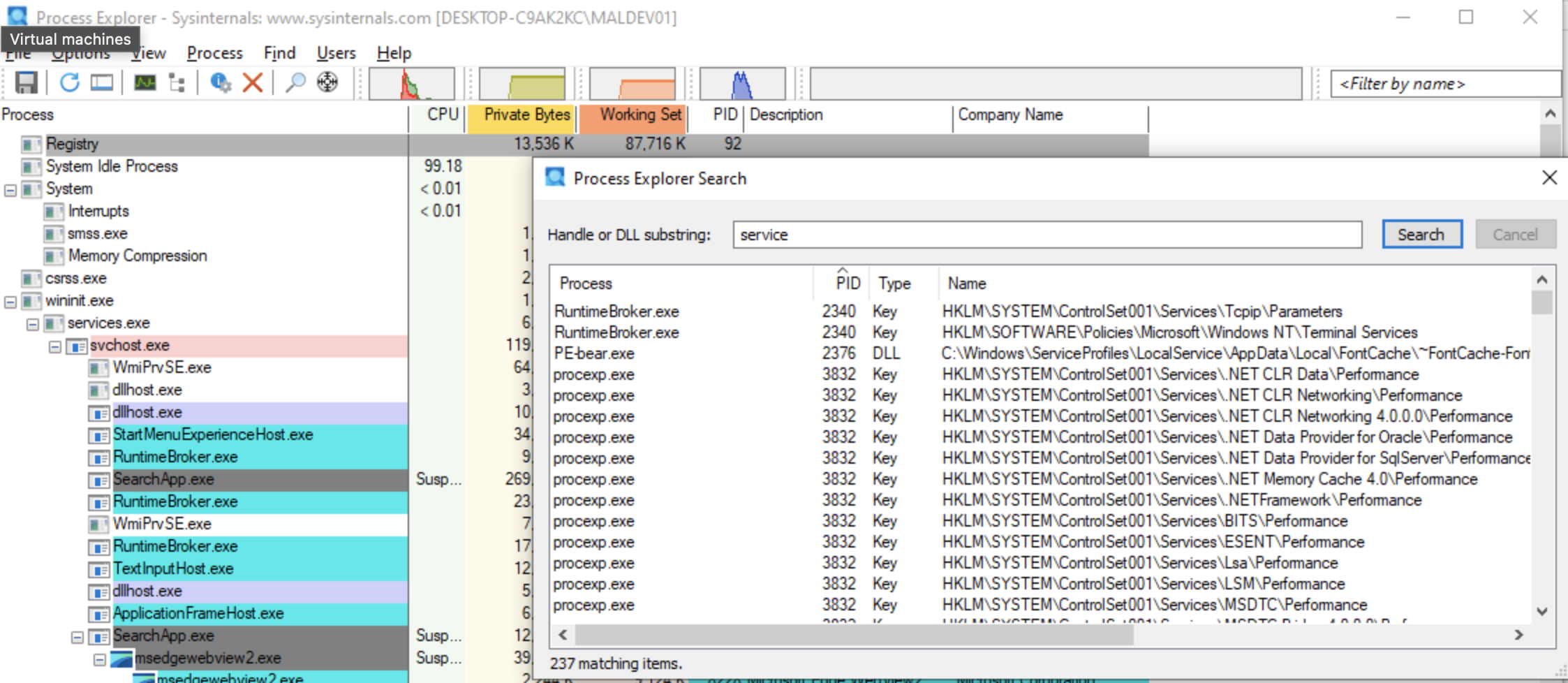
‘procexp’ (Process Explorer)
From https://www.w3schools.com/c/c_structs.php:
// First, create a structure named 'exampleStructure.
struct exampleStructure {
  int exampleNum;
  char exampleChar;
  };

int main() {
// Create a structure variable of exampleStructure named 's1'.
struct exampleStructure s1;

// Assign values to members of 's1'.
s1.myNum = 13;
s1.myLetter = "J";

// Print these values.
printf("My number is: %d\n", s1.myNum);
printf("My letter is: %c\n", s1.myLetter);
}

return 0;
example code: Link to Gitlab-repo-file
Output
?➜  module-4-coding-basics-objectives git:(main) ?✗ ./a.out
./a.out
My number is: 13
My letter is: J
Adapted from: https://dev.to/mikkel250/passing-by-value-passing-by-reference-in-c-1acg
#include <stdio.h>

void swap(int firstVariable, int secondVariable)
{
  // create a temporary variable to hold one of the values to perform the swap
  int tempVariable;
  printf("[Inside swap function...]\n");
 // printf("Value of tempVariable is: %d \n", tempVariable);
 //  printf("Memory address of tempVariable is: %p \n", tempVariable);
  printf("\n");

  printf("\nBefore any operations...\n");
  printf("tempVariable is: %d \n", tempVariable);
  printf("firstVariable is: %d \n", firstVariable);
  printf("secondVariable is: %d \n", secondVariable);

  tempVariable = firstVariable;  /* temporarily save the value of the first variable */
  printf("after tempvariable = firstVariable...\n");
  printf("tempVariable is: %d \n", tempVariable);

  firstVariable = secondVariable;  /* swap the vale of the first variable with the value of the second variable */
  secondVariable = tempVariable;  /* put the value of the first variable into the second variable */

  printf("\nafter firstVariable = secondVariable and secondVariable = tempVariable...\n");

  printf("Value of firstVariable is: %d \n", firstVariable);
  printf("Value of secondVariable is: %d \n", secondVariable);
  printf("Memory address of firstVariable is: %p \n", firstVariable);
  printf("Memory address of secondVariable is: %p \n", secondVariable);

  printf("\n");

//  return 0;
}

int main(void)
{
  int a = 100;
  int b = 200;

printf("[Inside main function, before swap...]\n");

  printf("Value of a: %d \n", a);
  printf("Memory address of a: %p \n", &a);
  printf("Value of b: %d \n", b);
  printf("Memory address of b: %p \n", &b);
  printf("\n");

  // call function to swap values
  swap(a, b);

  // check values outside the function after swap function is run
  printf("[Inside main function, after swap...]\n");

  printf("Value of a: %d \n", a);
  printf("Memory address of a: %p \n", &a);
  printf("Value of b: %d \n", b);
  printf("Memory address of b: %p \n", &b);
  printf("\n");

  return 0;
}
Code:
Output:
-*- mode: quickrun-; default-directory: "/Users/joostagterhoek/code/maldev-academy-code/module-4-coding-basics-objectives/" -*-
Quickrun started at Tue Mar 10 21:28:28

[Inside main function, before swap...]
Value of a: 100
Memory address of a: 0x7ff7b3afb558
Value of b: 200
Memory address of b: 0x7ff7b3afb554

[Inside swap function...]


Before any operations...
tempVariable is: 32759
firstVariable is: 100
secondVariable is: 200
after tempvariable = firstVariable...
tempVariable is: 100

after firstVariable = secondVariable and secondVariable = tempVariable...
Value of firstVariable is: 200
Value of secondVariable is: 100
Memory address of firstVariable is: 0xc8
Memory address of secondVariable is: 0x64

[Inside main function, after swap...]
Value of a: 100
Memory address of a: 0x7ff7b3afb558
Value of b: 200
Memory address of b: 0x7ff7b3afb554


Quickrun finished at Tue Mar 10 21:28:29
Difference between arguments and parameters in C:
Example:
int square(int n);
n is a function parameter specified in the function square.
int result = square(10);
The number 10 is an argument of the called function square.
Example of pass by value vs. pass by argument:
Pass by value example code:
#include <stdio.h>

int square(int n);

int main()
{

int n = 10;
int result = square(n);

printf("n in the main function is: %d.\n", n);
printf("The result is: %d.\n", result);
}

int square(int n)
{
n = n * n;
printf("n in the square function is: %d.\n", n);
return n;
}
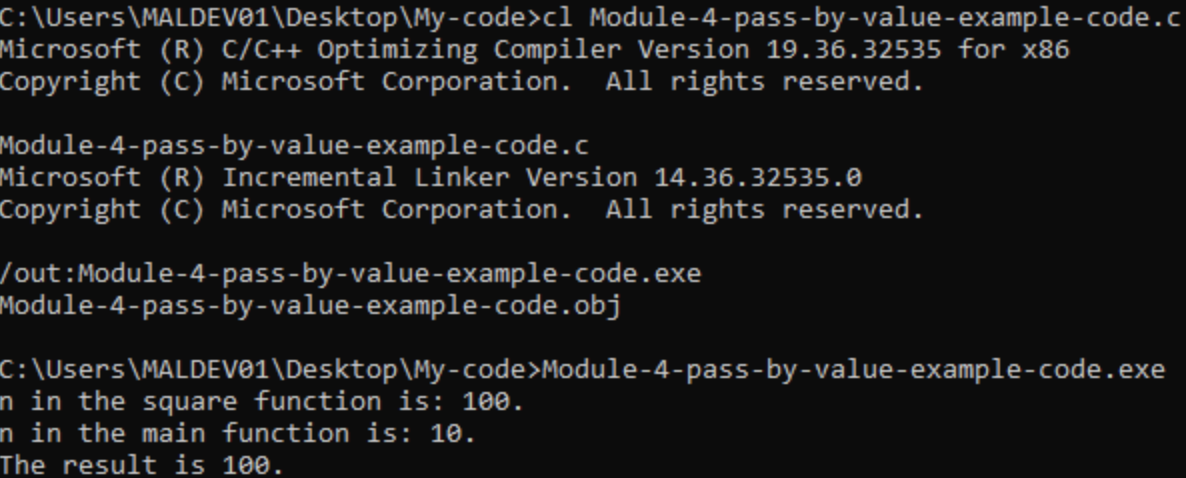
[!note] Further research
%pprints virtual addresses of pointers in the example code above.
From: https://www.peachcyber.com/published/6-windows-os/6–1-learn-windows/1-windows-basic/4-win32-api-and-windows-native-api/#strong-3-examples-of-ntapi-functions-strong

Microsoft documentation on NTAllocateVirtualMemory: https://learn.microsoft.com/en-us/windows-hardware/drivers/ddi/ntifs/nf-ntifs-ntallocatevirtualmemory
Example how to apply NTAllocateVirtualMemory: https://cocomelonc.github.io/tutorial/2021/12/07/malware-injection-10.html
NtAllocateVirtualMemory in codew
A bit more elaborate and recent explanation of how to use NTAllocateVirtualMemory for shellcode execution: https://rootfu.in/exploring-shellcode-execution-with-native-windows-apis/
![failure] Linker error `NtAllocateVirtualMemory: ‘error LNK2019: unresolved external symbol _NtAllocateVirtualMemory referenced in function _main’ The problem/solution might be the presence of the Windows Development Kit (WDK) and/or the Windows software development kit (SDK). According to documentation (https://learn.microsoft.com/en-us/windows-hardware/drivers/ddi/ntifs/) ‘this header file is used by Windows file system and filter driver developers’.
Parameters of VirtualAlloc:
LPVOID VirtualAlloc(
  [in, optional] LPVOID lpAddress,
  [in]           SIZE_T dwSize,
  [in]           DWORD  flAllocationType,
  [in]           DWORD  flProtect
);
Parameters NtAllocateVirtualMemory:
__kernel_entry NTSYSCALLAPI NTSTATUS NtAllocateVirtualMemory(
  [in]      HANDLE    ProcessHandle,
  [in, out] PVOID     *BaseAddress,
  [in]      ULONG_PTR ZeroBits,
  [in, out] PSIZE_T   RegionSize,
  [in]      ULONG     AllocationType,
  [in]      ULONG     Module
);
The parameters are different: NtAllocateVirtualMemory takes more parameters and they have other purposes in the function. From the documentation:
VirtualALloc: " [in, optional] lpAddress The starting address of the region to allocate. If the memory is being reserved, the specified address is rounded down to the nearest multiple of the allocation granularity. If the memory is already reserved and is being committed, the address is rounded down to the next page boundary. To determine the size of a page and the allocation granularity on the host computer, use the GetSystemInfo function. If this parameter is NULL, the system determines where to allocate the region. If this address is within an enclave that you have not initialized by calling InitializeEnclave, VirtualAlloc allocates a page of zeros for the enclave at that address. The page must be previously uncommitted, and will not be measured with the EEXTEND instruction of the Intel Software Guard Extensions programming model. If the address is within an enclave that you initialized, then the allocation operation fails with the ERROR_INVALID_ADDRESS error. That is true for enclaves that do not support dynamic memory management (i.e. SGX1). SGX2 enclaves will permit allocation, and the page must be accepted by the enclave after it has been allocated. [in] dwSize The size of the region, in bytes. If the lpAddress parameter is NULL, this value is rounded up to the next page boundary. Otherwise, the allocated pages include all pages containing one or more bytes in the range from lpAddress to lpAddress+dwSize. This means that a 2-byte range straddling a page boundary causes both pages to be included in the allocated region. [in] flAllocationType The type of memory allocation. This parameter must contain one of the following values. "
NtAllocateVirtualMemory: " [in] ProcessHandle A handle for the process for which the mapping should be done. Use the NtCurrentProcess macro, defined in Ntddk.h, to specify the current process. [in, out] BaseAddress A pointer to a variable that will receive the base address of the allocated region of pages. If the initial value of BaseAddress is non-NULL, the region is allocated starting at the specified virtual address rounded down to the next host page size address boundary. If the initial value of BaseAddress is NULL, the operating system will determine where to allocate the region. [in] ZeroBits The number of high-order address bits that must be zero in the base address of the section view. Used only when the operating system determines where to allocate the region, as when BaseAddress* is NULL. Note that when ZeroBits is larger than 32, it becomes a bitmask. [in, out] RegionSize A pointer to a variable that will receive the actual size, in bytes, of the allocated region of pages. The initial value of RegionSize specifies the size, in bytes, of the region and is rounded up to the next host page size boundary. RegionSize cannot be zero on input. [in] AllocationType A bitmask containing flags that specify the type of allocation to be performed for the specified region of pages. The following table describes the most common flags. See VirtualAlloc for a full list of possible flags and descriptions. "
The documentation shows that the approach is different:
VirtualAlloc takes a starting address and size of a memory region and the type of memory allocation. NtAllocateVirtualMemory instead takes a handle to the process for which mapping should be done, a pointer to a variable that receives the base address of the allocated region of memory pages, along with other ‘metadata’ like size and the type of allocation. It appears NtALlocateVirtualMemory relates more to allocating memory to a process where VirtualAlloc relates more to simply allocating memory.
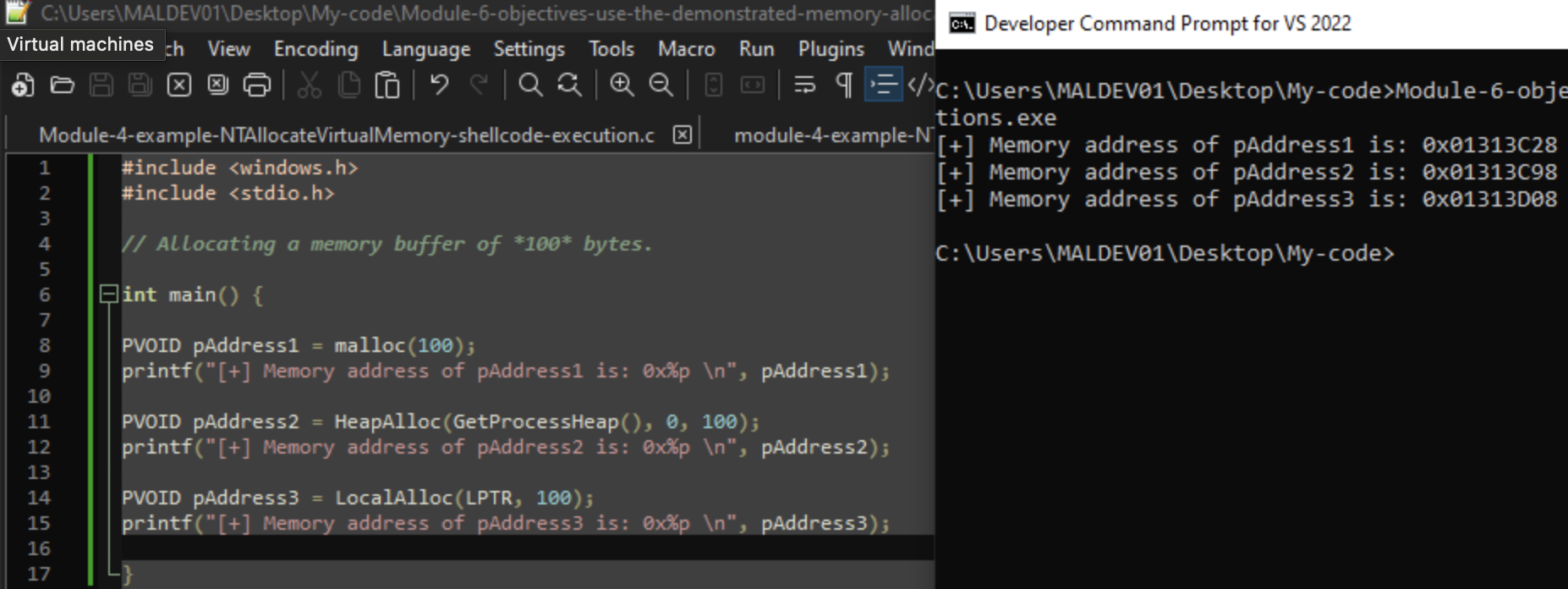
#include <windows.h>
#include <stdio.h>
#include <malloc.h>

// Allocating a memory buffer of *100* bytes.

int main() {

PVOID pAddress1 = malloc(100);
printf("[+] Memory address of pAddress1 is: 0x%p \n", pAddress1);
size_t size1 = _msize(pAddress1);
printf("Allocated size to pAddress1  is: %zu\n", size1);

PVOID pAddress2 = HeapAlloc(GetProcessHeap(), 0, 100);
printf("[+] Memory address of pAddress2 is: 0x%p \n", pAddress2);
size_t size2 = _msize(pAddress2);
printf("Allocated size to pAddress1  is: %zu\n", size2);
HANDLE hHeap = GetProcessHeap();
SIZE_T size2_2 = HeapSize(hHeap, 0, pAddress2);
printf("Allocated size to pAddress1 using HeapSize is: %zu\n", size2_2);

PVOID pAddress3 = LocalAlloc(LPTR, 100);
printf("[+] Memory address of pAddress3 is: 0x%p \n", pAddress3);
size_t size3 = _msize(pAddress1);
printf("Allocated size to pAddress3 is: %zu\n", size3);

// Free the allocated memory buffers using the appropriate function.
// To free memory allocated with malloc: free.

printf("[+] Freeing pAddress1 [+]\n");
free(pAddress1);
printf("[+] Freed pAddress1 [+]\n");

// To free memory allocated with HeapAlloc: HeapFree

printf("[+] Freeing pAddress2 [+]\n");
if (HeapFree(hHeap, 0, pAddress2) == NULL) {
    printf("+] Freed pAddress2 [+]");
}

}
For this objective, I chose to use the example code from https://learn.microsoft.com/en-us/windows/win32/Memory/reserving-and-committing-memory.
The code:
// A short program to demonstrate dynamic memory allocation
// using a structured exception handler.

#include <windows.h>
#include <tchar.h>
#include <stdio.h>
#include <stdlib.h>             // For exit

#define PAGELIMIT 80            // Number of pages to ask for

LPTSTR lpNxtPage;               // Address of the next page to ask for
DWORD dwPages = 0;              // Count of pages gotten so far
DWORD dwPageSize;               // Page size on this computer

INT PageFaultExceptionFilter(DWORD dwCode)
{
    LPVOID lpvResult;

    // If the exception is not a page fault, exit.

    if (dwCode != EXCEPTION_ACCESS_VIOLATION)
    {
        _tprintf(TEXT("Exception code = %d.\n"), dwCode);
        return EXCEPTION_EXECUTE_HANDLER;
    }

    _tprintf(TEXT("Exception is a page fault.\n"));

    // If the reserved pages are used up, exit.

    if (dwPages >= PAGELIMIT)
    {
        _tprintf(TEXT("Exception: out of pages.\n"));
        return EXCEPTION_EXECUTE_HANDLER;
    }

    // Otherwise, commit another page.

    lpvResult = VirtualAlloc(
                     (LPVOID) lpNxtPage, // Next page to commit
                     dwPageSize,         // Page size, in bytes
                     MEM_COMMIT,         // Allocate a committed page
                     PAGE_READWRITE);    // Read/write access
    if (lpvResult == NULL )
    {
        _tprintf(TEXT("VirtualAlloc failed.\n"));
        return EXCEPTION_EXECUTE_HANDLER;
    }
    else
    {
        _tprintf(TEXT("Allocating another page.\n"));
    }

    // Increment the page count, and advance lpNxtPage to the next page.

    dwPages++;
    lpNxtPage = (LPTSTR) ((PCHAR) lpNxtPage + dwPageSize);

    // Continue execution where the page fault occurred.

    return EXCEPTION_CONTINUE_EXECUTION;
}

VOID ErrorExit(LPTSTR lpMsg)
{
    _tprintf(TEXT("Error! %s with error code of %ld.\n"),
             lpMsg, GetLastError ());
    exit (0);
}

VOID _tmain(VOID)
{
    LPVOID lpvBase;               // Base address of the test memory
    LPTSTR lpPtr;                 // Generic character pointer
    BOOL bSuccess;                // Flag
    DWORD i;                      // Generic counter
    SYSTEM_INFO sSysInfo;         // Useful information about the system

    GetSystemInfo(&sSysInfo);     // Initialize the structure.

    _tprintf (TEXT("This computer has page size %d.\n"), sSysInfo.dwPageSize);

    dwPageSize = sSysInfo.dwPageSize;

    // Reserve pages in the virtual address space of the process.

    lpvBase = VirtualAlloc(
                     NULL,                 // System selects address
                     PAGELIMIT*dwPageSize, // Size of allocation
                     MEM_RESERVE,          // Allocate reserved pages
                     PAGE_NOACCESS);       // Protection = no access
    if (lpvBase == NULL )
        ErrorExit(TEXT("VirtualAlloc reserve failed."));

    lpPtr = lpNxtPage = (LPTSTR) lpvBase;

    // Use structured exception handling when accessing the pages.
    // If a page fault occurs, the exception filter is executed to
    // commit another page from the reserved block of pages.

    for (i=0; i < PAGELIMIT*dwPageSize; i++)
    {
        __try
        {
            // Write to memory.

            lpPtr[i] = 'a';
        }

        // If there's a page fault, commit another page and try again.

        __except ( PageFaultExceptionFilter( GetExceptionCode() ) )
        {

            // This code is executed only if the filter function
            // is unsuccessful in committing the next page.

            _tprintf (TEXT("Exiting process.\n"));

            ExitProcess( GetLastError() );

        }

    }

    // Release the block of pages when you are finished using them.

    bSuccess = VirtualFree(
                       lpvBase,       // Base address of block
                       0,             // Bytes of committed pages
                       MEM_RELEASE);  // Decommit the pages

    _tprintf (TEXT("Release %s.\n"), bSuccess ? TEXT("succeeded") : TEXT("failed") );

}
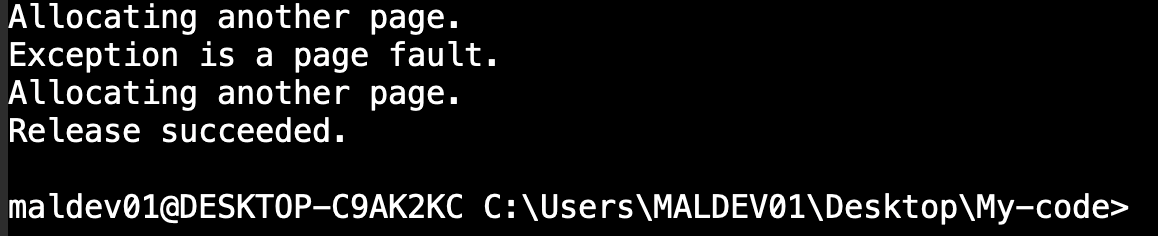
The output:

Relevant notes on unfamiliar functions, unclear code flow, etcetera:
#include tchar.h
From the documentation:
[!quote] Generic-Text Mappings in tchar.h To simplify the transporting of code for international use, the Microsoft run-time library provides Microsoft-specific generic-text mappings for many data types, routines, and other objects. You can use these mappings, which are defined in tchar.h, to write generic code that can be compiled for single-byte, multibyte, or Unicode character sets, depending on a manifest constant that you define by using a
#definestatement. Generic-text mappings are Microsoft extensions that are not ANSI compatible.
{
        __try
        {
            // Write to memory.

            lpPtr[i] = 'a';
        }

        // If there's a page fault, commit another page and try again.

        __except ( PageFaultExceptionFilter( GetExceptionCode() ) )
        {

            // This code is executed only if the filter function
            // is unsuccessful in committing the next page.

            _tprintf (TEXT("Exiting process.\n"));

            ExitProcess( GetLastError() );

        }

    }
From the documentation:
[!quote] Reserving and Commiting Memory The example uses structured exception-handling syntax to commit pages from the reserved region. Whenever a page fault exception occurs during the execution of the __try block, the filter function in the expression preceding the __except block is executed. If the filter function can allocate another page, execution continues in the __try block at the point where the exception occurred. Otherwise, the exception handler in the __except block is executed.
The documentation might have an error here: the PageFaultExceptionFilter-function is called not preceding, but inside the _except block.
The following addition works, but there are some warnings/errors that need fixing.
Added code:
lPtr[i] = 'a';

RtlFillMemory(
    lpvBase,
    NULL,
    0x41
    );
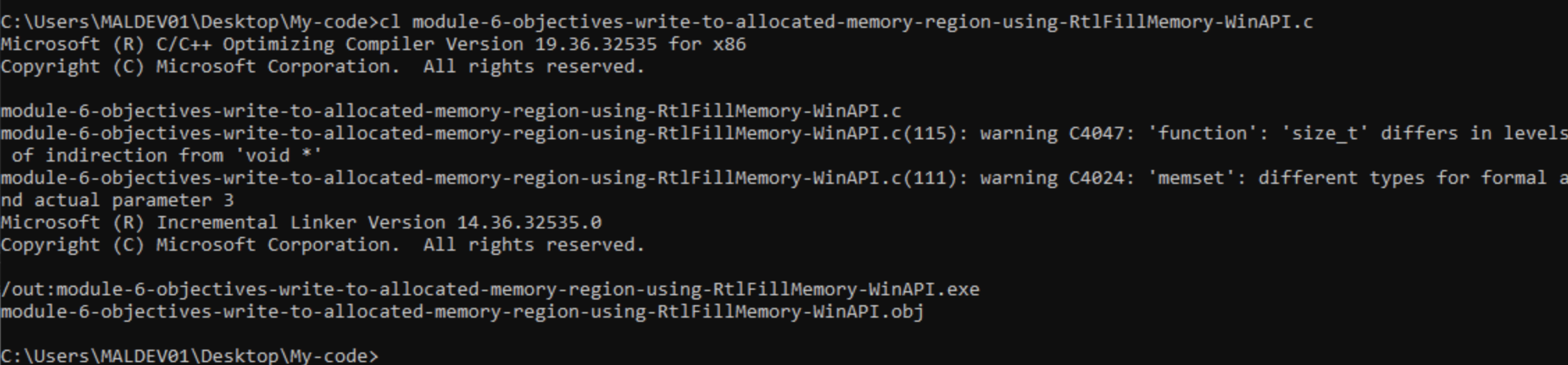
Some notes on these warnings/errors:
C4047:
[!cite] Warning (level 1) C4047 A pointer can point to a variable (one level of indirection), to another pointer that points to a variable (two levels of indirection), and so on.
C4024:
[!cite] Compiler Warning (level 1) C4024 Corresponding formal and actual parameters have different types. The compiler passes the actual parameter without change. The receiving function converts the parameter type to the type expected.
[!cite] Source: https://learn.microsoft.com/en-us/windows/win32/Memory/comparing-memory-allocation-methods (…) various memory allocation methods:
- CoTaskMemAlloc
- GlobalAlloc
- HeapAlloc
- LocalAlloc
- malloc
- new
- VirtualAlloc
Although the GlobalAlloc, LocalAlloc, and HeapAlloc functions ultimately allocate memory from the same heap, each provides a slightly different functionality. For example, HeapAlloc can be instructed to raise an exception if memory could not be allocated, a capability not available with LocalAlloc. LocalAlloc supports allocation of handles which permit the underlying memory to be moved by a reallocation without changing the handle value, a capability not available with HeapAlloc.
The VirtualAlloc function allows you to specify additional options for memory validation. (…) The malloc function has the disadvantage of being run-time dependent. (…) The CoTaskMemAlloc function (…) is the only way to share memory in a COM-based application (…).
[!cite] General memory functions
| Function | Description |
|---|---|
| AddSecureMemoryCacheCallback | Registers a callback function to be called when a secured memory range is freed or its protections are changed. |
| CopyDeviceMemory | Copies memory from one location to another without interference from compiler optimizations in situations where the developer needs to additionally be sure that alignment faults will not be generated when accessing device memory. |
| CopyMemory | Copies a block of memory from one location to another. |
| CopyVolatileMemory | Copies the contents of a source memory block to a destination memory block. |
| CreateMemoryResourceNotification | Creates a memory resource notification object. |
| FillDeviceMemory | Sets the contents of a buffer without interference from compiler optimizations in situations where the developer needs to additionally be sure that alignment faults will not be generated when accessing device memory. |
| FillMemory | Fills a block of memory with a specified value. |
| FillVolatileMemory | Fills a block of memory with the specified fill value. |
| GetLargePageMinimum | Retrieves the minimum size of a large page. |
| GetPhysicallyInstalledSystemMemory | Retrieves the amount of RAM that is physically installed on the computer. |
| GetSystemFileCacheSize | Retrieves the current size limits for the working set of the system cache. |
| GetWriteWatch | Retrieves the addresses of the pages that have been written to in a region of virtual memory. |
| GlobalMemoryStatusEx | Obtains information about the system’s current usage of both physical and virtual memory. |
| MoveMemory | Moves a block of memory from one location to another. |
| MoveVolatileMemory | Copies the contents of a source memory block to a destination memory block, and supports overlapping source and destination memory blocks. |
| QueryMemoryResourceNotification | Retrieves the state of the specified memory resource object. |
| RemoveSecureMemoryCacheCallback | Unregisters a callback function that was previously registered with the AddSecureMemoryCacheCallback function. |
| ResetWriteWatch | Resets the write-tracking state for a region of virtual memory. |
| SecureMemoryCacheCallback | An application-defined function that is called when a secured memory range is freed or its protections are changed. |
| SecureZeroMemory | Fills a block of memory with zeros. |
| SecureZeroMemory2 | Fills a block of memory with zeros in a way that is guaranteed to be secure. |
| SetSystemFileCacheSize | Limits the size of the working set for the file system cache. |
| ZeroDeviceMemory | Sets the contents of a buffer to zeros without interference from compiler optimizations in situations where the developer needs to additionally be sure that alignment faults will not be generated when accessing device memory. |
| ZeroMemory | Fills a block of memory with zeros. |
| ZeroVolatileMemory | Fills a block of memory with zeros. |
[!cite] Windows Data Types The data types supported by Windows are used to define function return values, function and message parameters, and structure members. They define the size and meaning of these elements. (…) The following table contains the following types: character, integer, Boolean, pointer, and handle.
Below is a summarized table of data types used in this case or otherwise familiar.
| Data type | Description |
|---|---|
APIENTRY |
The calling convention for system functions. This type is declared in WinDef.h as follows: #define APIENTRY WINAPI |
CALLBACK |
The calling convention for callback functions. This type is declared in WinDef.h as follows: #define CALLBACK __stdcall CALLBACK, WINAPI, and APIENTRY are all used to define functions with the __stdcall calling convention. Most functions in the Windows API are declared using WINAPI. You may wish to use CALLBACK for the callback functions that you implement to help identify the function as a callback function. |
HANDLE |
A handle to an object. This type is declared in WinNT.h as follows:typedef PVOID HANDLE; |
LPSTR |
A pointer to a null-terminated string of 8-bit Windows (ANSI) characters. For more information, see Character Sets Used By Fonts. This type is declared in WinNT.h as follows: typedef CHAR *LPSTR; |
First, let’s describe CreateProcessA:
[!cite] CreateProcessA function (processthreadsapi.h) Creates a new process and its primary thread. The new process runs in the security context of the calling process. If the calling process is impersonating another user, the new process uses the token for the calling process, not the impersonation token. To run the new process in the security context of the user represented by the impersonation token, use the CreateProcessAsUserA function or CreateProcessWithLogonW function.
Below should identify the most important difference between CreateProcessA and CreateProcessW.
[!cite] CreateProcessA function (processthreadsapi.h)
[in, out, optional] lpCommandLineThe command line to be executed. The Unicode version of this function, CreateProcessW, can modify the contents of this string. Therefore, this parameter cannot be a pointer to read-only memory (such as a const variable or a literal string). If this parameter is a constant string, the function may cause an access violation.
CreateProcessW’s parameters are:
| BOOL CreateProcessW( | ||
|---|---|---|
| [in, optional] | LPCWSTR | lpApplicationName, |
| [in, out, optional] | LPWSTR | lpCommandLine, |
| [in, optional] | LPSECURITY_ATTRIBUTES | lpProcessAttributes, |
| [in, optional] | LPSECURITY_ATTRIBUTES | lpThreadAttributes, |
| [in] | BOOL | bInheritHandles, |
| [in] | DWORD | dwCreationFlags, |
| [in, optional] | LPVOID | lpEnvironment, |
| [in, optional] | LPCWSTR | lpCurrentDirectory, |
| [in] | LPSTARTUPINFOW | lpStartupInfo, |
| [out] | LPPROCESS_INFORMATION | lpProcessInformation |
| ); |
About the parameter lpProcessInformation:
lpProcessInformationA pointer to a PROCESS_INFORMATION structure that receives identification information about the new process. Handles in PROCESS_INFORMATION must be closed with CloseHandle when they are no longer needed.
So, why is this considered an OUT parameter? CreateProcessA has the same parameter. Let’s see what we can find out about the PROCESS_INFORMATION-structure.
[!cite] PROCESS_INFORMATION structure (processthreadsapi.h) Contains information about a newly created process and its primary thread. It is used with the CreateProcess, CreateProcessAsUser, CreateProcessWithLogonW, or CreateProcessWithTokenW function.
There is no clear reason why lpProcessInformation is considered an OUT-parameter. Perhaps it has to do with the handles in PROCESS_INFORMATION that must be closed with CloseHandle when they are no longer needed. The ‘Remarks’-section does mention the PROCESS_INFORMATION-structure:
[!cite] CreateProcessW function (processthreadsapi.h) Remarks The process is assigned a process identifier. The identifier is valid until the process terminates. It can be used to identify the process, or specified in the OpenProcess function to open a handle to the process. The initial thread in the process is also assigned a thread identifier. It can be specified in the OpenThread function to open a handle to the thread. The identifier is valid until the thread terminates and can be used to uniquely identify the thread within the system. These identifiers are returned in the PROCESS_INFORMATION structure.
So what we can glean from this, is that the OUT-parameter lpProcessInformation of CreateProcessA/W points to a structure which elements are identifiers that can be used to identify a process or specified in the OpenProcess-function to open a handle to the process.
First, some details on the GetUserNameA-WinAPI.
[!cite] GetUserNameA function (winbase.h) Retrieves the name of the user associated with the current thread. Use the
GetUserNameExfunction to retrieve the user name in a specified format. Additional information is provided by the IADsADSystemInfo interface.
BOOL GetUserNameA(
  [out]     LPSTR   lpBuffer,
  [in, out] LPDWORD pcbBuffer
);
This documentation does not explain how to use the function to return the name of the current user. Luckily the page does point to some example code that uses the function.
[!cite] Getting System Information
Some comments and notes on the code below:
if (!::GetUserName( infoBuf, &bufCharCount) ) using Codeconvert:
#include <windows.h>
#include <tchar.h>
#include <stdio.h>

const TCHAR* envVarStrings[] =
{
  TEXT("OS         = %OS%"),
  TEXT("PATH       = %PATH%"),
  TEXT("HOMEPATH   = %HOMEPATH%"),
  TEXT("TEMP       = %TEMP%")
};
#define  ENV_VAR_STRING_COUNT  (sizeof(envVarStrings)/sizeof(TCHAR*))
#define INFO_BUFFER_SIZE 32767
TCHAR  infoBuf[INFO_BUFFER_SIZE] = {'\0'};
void printError(const TCHAR* msg );

void main( )
{
  DWORD i = 0;
  DWORD  bufCharCount = INFO_BUFFER_SIZE;

  // Get and display the name of the computer.
  if( !::GetComputerName( infoBuf, &bufCharCount ) )
    printError( TEXT("GetComputerName") );
  _tprintf( TEXT("\nComputer name:      %s"), infoBuf );

  // Get and display the user name.
  bufCharCount = INFO_BUFFER_SIZE;
  if( !::GetUserName( infoBuf, &bufCharCount ) )
    printError( TEXT("GetUserName") );
  _tprintf( TEXT("\nUser name:          %s"), infoBuf );

  // Get and display the system directory.
  if( !::GetSystemDirectory( infoBuf, INFO_BUFFER_SIZE ) )
    printError( TEXT("GetSystemDirectory") );
  _tprintf( TEXT("\nSystem Directory:   %s"), infoBuf );

  // Get and display the Windows directory.
  if( !::GetWindowsDirectory( infoBuf, INFO_BUFFER_SIZE ) )
    printError( TEXT("GetWindowsDirectory") );
  _tprintf( TEXT("\nWindows Directory:  %s"), infoBuf );

  // Expand and display a few environment variables.
  _tprintf( TEXT("\n\nSmall selection of Environment Variables:") );
  for( i = 0; i < ENV_VAR_STRING_COUNT; ++i )
  {
    bufCharCount = ::ExpandEnvironmentStrings(envVarStrings[i], infoBuf,
        INFO_BUFFER_SIZE );
    if( bufCharCount > INFO_BUFFER_SIZE )
      _tprintf( TEXT("\n\t(Buffer too small to expand: \"%s\")"),
              envVarStrings[i] );
    else if( !bufCharCount )
      printError( TEXT("ExpandEnvironmentStrings") );
    else
      _tprintf( TEXT("\n   %s"), infoBuf );
  }
  _tprintf( TEXT("\n\n"));
}

void printError(const TCHAR* msg )
{
  TCHAR sysMsg[MAX_PATH] = {'\0'};
  TCHAR* p = sysMsg;
  DWORD eNum = ::GetLastError();

  ::FormatMessage( FORMAT_MESSAGE_FROM_SYSTEM |
         FORMAT_MESSAGE_IGNORE_INSERTS,
         nullptr, eNum,
         MAKELANGID(LANG_NEUTRAL, SUBLANG_DEFAULT),
         sysMsg, MAX_PATH, nullptr );

  // Trim the end of the line and terminate it with a null
  // 9 - \t (horizontal tab)
  // [0 - 32) - All characters in this area excepting 9
  // 46 - . (dot)
  while (*p++)
  {
      if ((*p != 9 && *p < 32) || *p == 46)
      {
          *p = 0;
          break;
      }
  }

  // Display the message
  _tprintf( TEXT("\n\t%s failed with error %d (%s)"), msg, eNum, sysMsg );

  p = nullptr;
}
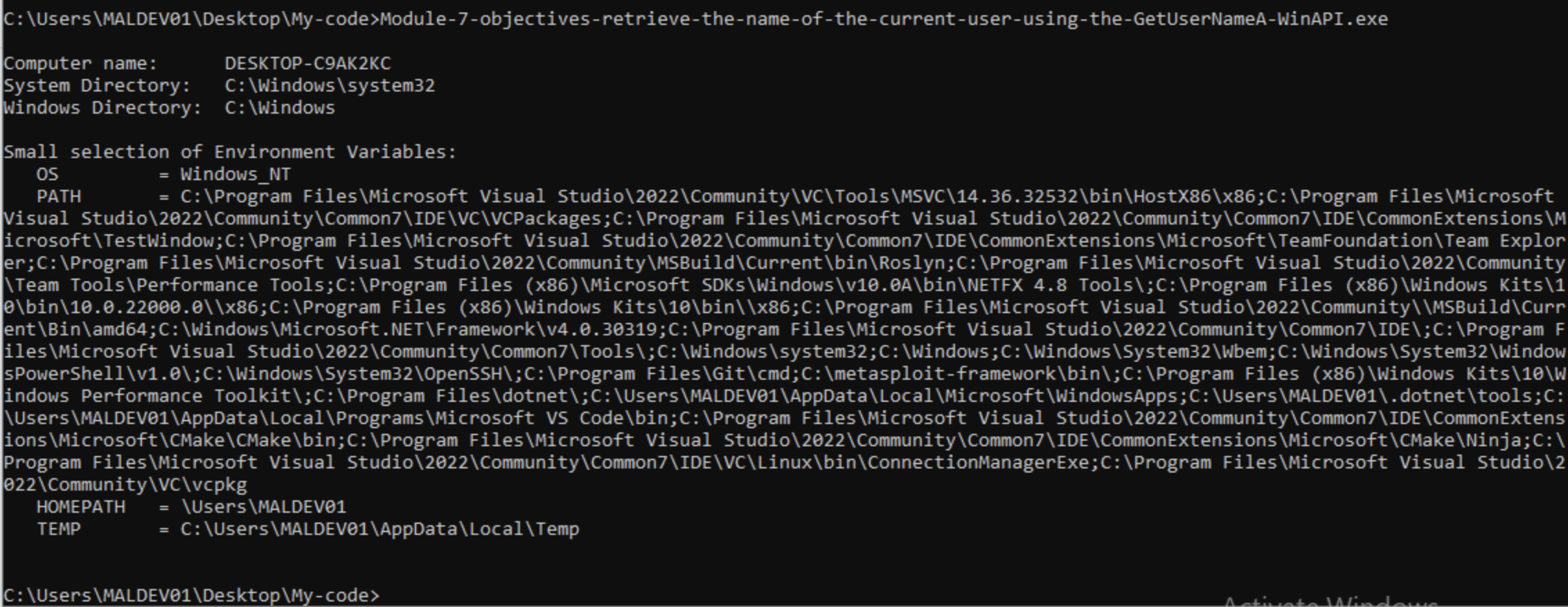
Funnily enough (define funny), everything about this example works, except for the GetUserName-function and -code:
Including the code using GetUserName, I get this error:

Linker errors abound! Let’s see if we can figure this out.
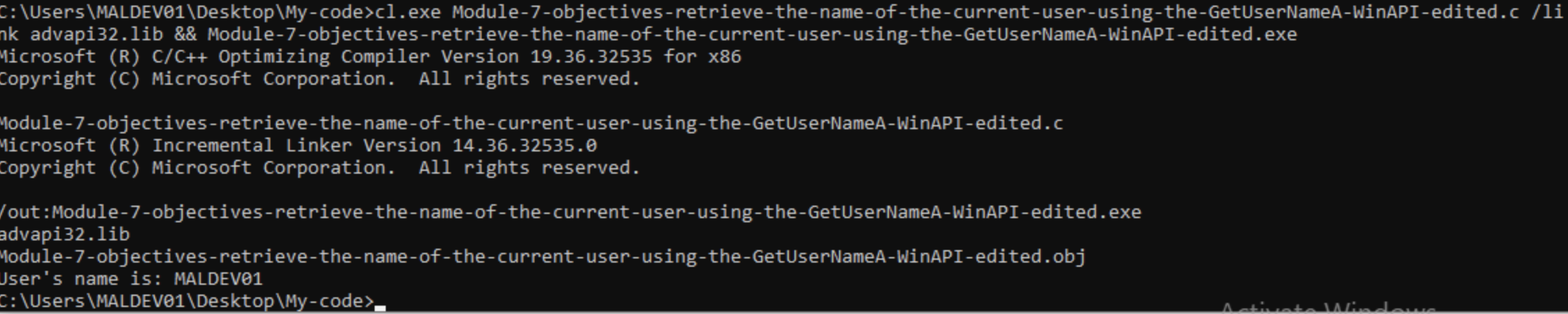
[!cite] Source ‘the link error is because the Win32 API lives in Advapi32.lib and the Windows Forms (/clr) template does not add that library by default.’ ‘If you mix ANSI and Unicode, you can use the encoding-neutral alias GetUserName with TCHAR/_T(), but keep the whole call site consistent to avoid A/W mismatches, (…)’
#include <windows.h>
#include <stdio.h>

int main() {

char b[256];
DWORD n = sizeof(b);
if (!GetUserNameA(b, &n);
printf("Error");
printf("User's name is: %s", b);
}
The above code removes the need of TCHAR and related macros and instead uses simple printf statements. What it does:
an the size of aGetUserNameA doesn’t work, print an error messageb-variable which should hold the user ‘associated with the current thread’, meaning the current user outside of user impersonation scenarios.[!cite] Source By combining the NTSTATUS into a single 32-bit numbering space, the following NTSTATUS values are defined. Most values also have a defined default message that can be used to map the value to a human-readable text message. When this is done, the NTSTATUS value is also known as a message identifier. (…) In the following descriptions, a percentage sign that is followed by one or more alphanumeric characters (for example, “%1” or “%hs”) indicates a variable that is replaced by text at the time the value is returned. | Return value/code | Description | |——————-|—————————————| | 0x00000000 | The operation completed successfully. |
[!cite] Source You don’t distinguish between them. The wait functions return STATUS_WAIT_0, STATUS_WAIT_1, and so on up to STATUS_WAIT_63. And these status codes have values, 0, 1, and so on up to 63. So, if the code is in the range STATUS_WAIT_0 to STATUS_WAIT_63 inclusive, you can identify the index of the wait object that became signaled by using the expression StatusCode - STATUS_WAIT_0.
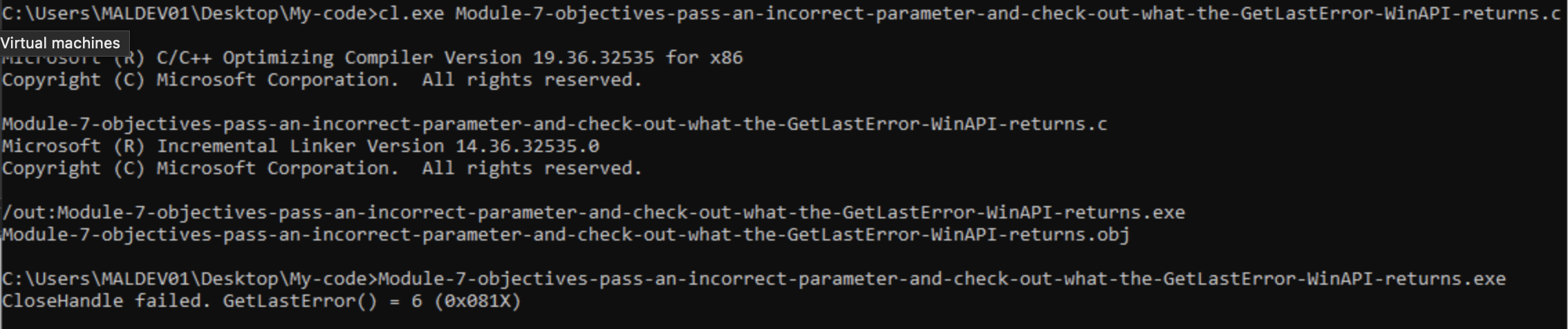
Source: https://learn.microsoft.com/en-us/windows/win32/debug/system-error-codes–0–499-
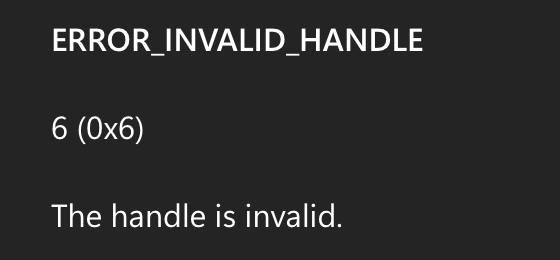
This works with the following code:
#include <windows.h>
#include <stdio.h>

int main(void) {

LPVOID lpMsgBuf;

SetLastError(0);

BOOL ok = CloseHandle(HANDLE))0xDEADBEEF);

if (!ok) {
DWORD err = GetLastError();
printf("CloseHandle failed. GetLastError() = %1u (0x081X)\n", err, err);
} else {
printf("CloseHandle unexpectedly succeeded.");
}

}
The code above works, but it doesn’t display a useful error message on it’s own. To achieve that, we can use the FormatMessage() that the documentation recommends (source to ‘to retrieve the description text for the error in your application, use the FormatMessage function with the FORMAT_MESSAGE_FROM_SYSTEM flag’. We can simply achieve this by adding the example code from [
<snip>
    if (FormatMessage(
        FORMAT_MESSAGE_ALLOCATE_BUFFER |
        FORMAT_MESSAGE_FROM_SYSTEM |
        FORMAT_MESSAGE_IGNORE_INSERTS,
        NULL,
        dw,
        MAKELANGID(LANG_NEUTRAL, SUBLANG_DEFAULT),
        (LPTSTR) &lpMsgBuf,
        0, NULL) == 0) {
        MessageBox(NULL, TEXT("FormatMessage failed"), TEXT("Error"), MB_OK);
        ExitProcess(dw);
    }

    MessageBox(NULL, (LPCTSTR)lpMsgBuf, TEXT("Error"), MB_OK);

    LocalFree(lpMsgBuf);
    ExitProcess(dw);
<snip>
Adding and adapting this code as needed and compiling the code linking to user32.lib (more on that later):
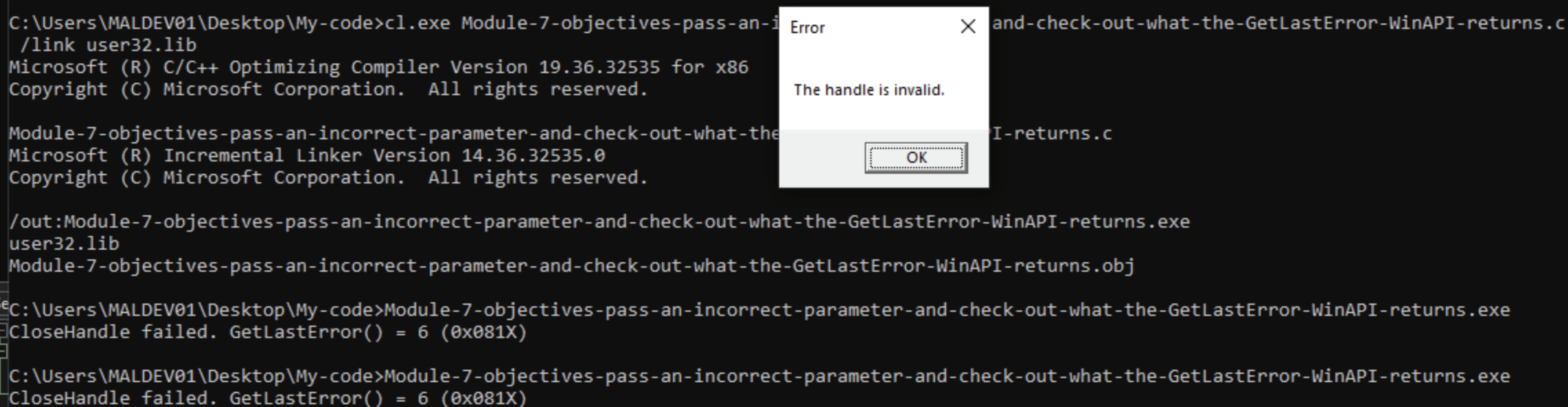
This was achieved with the code mentioned above. Here some notes for unfamiliar symbols and syntax:
MessageBox(NULL, TEXT("FormatMessage failed"), TEXT("Error"), MB_OK);
TEXT is:
Source Identifies a string as Unicode when UNICODE is defined by a preprocessor directive during compilation. Otherwise, the macro identifies a string as an ANSI string.
MB_OK is:
To explain the previous errors where functions (GetUserNameA, FormatMessage) give cl.exe errors on unresolved external symbols, some DuckAI notes:
Because FormatMessage (and many Win32 APIs) is declared in a header but implemented in a separate library. The compiler (cl.exe) only translates source to object code and relies on the linker to resolve external function references. Adding /link user32.lib (or specifying the library on the link line) tells the linker where to find the compiled implementation for the FormatMessage symbol so it can produce a runnable EXE.
Concise points:
windows.h gives the prototype so your code compiles. The linker must find the actual function in an import library (user32.lib or kernel32.lib depending on the function). If the linker can’t find the symbol you get “unresolved external” errors; supplying the correct .lib resolves them. Using Visual Studio’s IDE or a proper build system normally adds the required .lib automatically; with cl.exe you must pass the library with /link user32.lib (or add it to the LINK environment) or use the appropriate pragma in source:
#pragma comment(lib, "user32.lib")
or call the function that actually lives in kernel32.lib (FormatMessage is in Kernel32 on modern Windows), so you can also link kernel32.lib instead:
#pragma comment(lib,"kernel32.lib")
Use the pragma or /link to avoid unresolved externals
A #pragma is:
Source Pragma directives specify machine-specific or operating system-specific compiler features. A line that starts with #pragma specifies a pragma directive. The Microsoft-specific __pragma keyword enables you to code pragma directives within macro definitions. The standard _Pragma preprocessor operator, introduced in C99 and adopted by C++11, is similar.
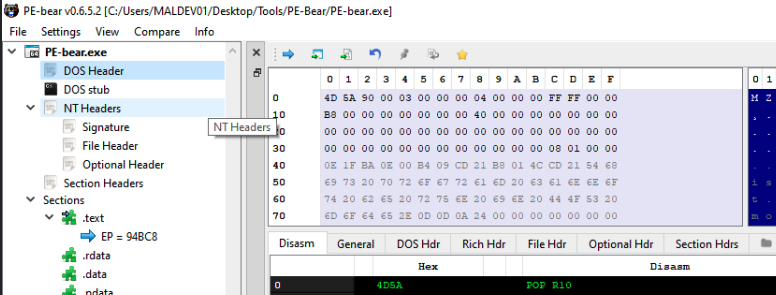
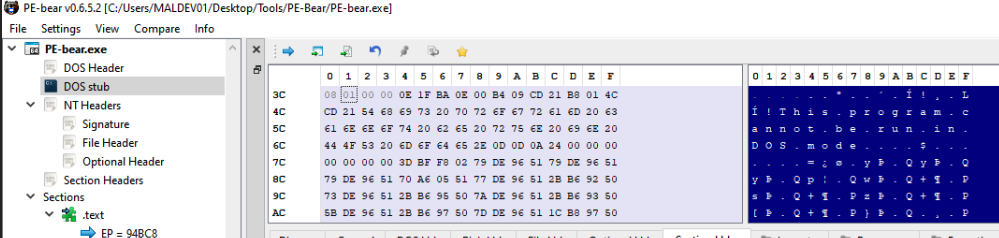
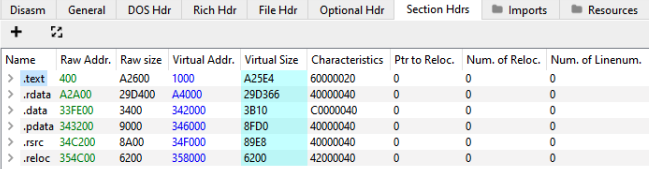
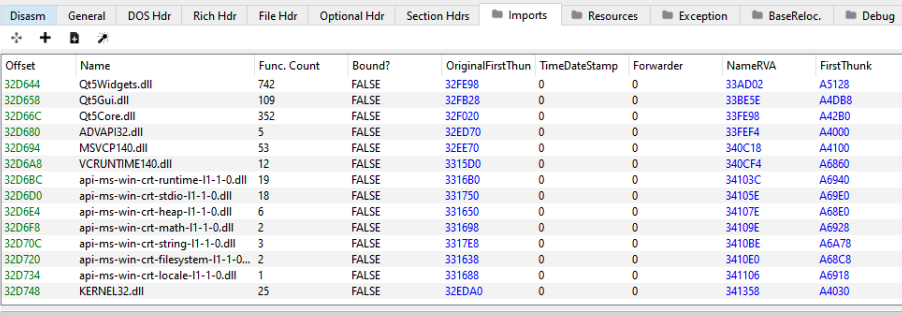
‘File Hdr’ -> ‘Sections Count’: 6 ‘Sections Hdrs’:
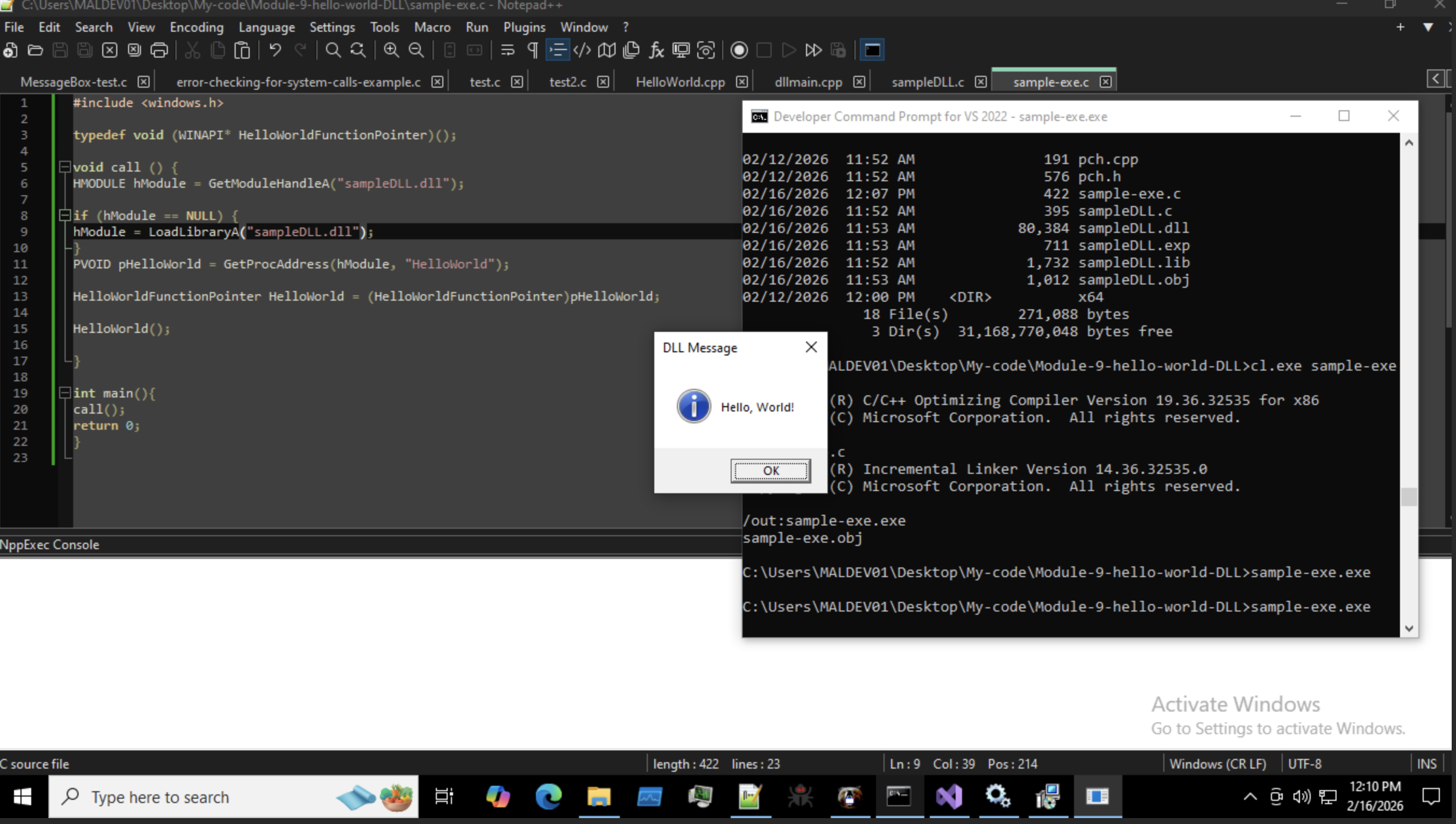
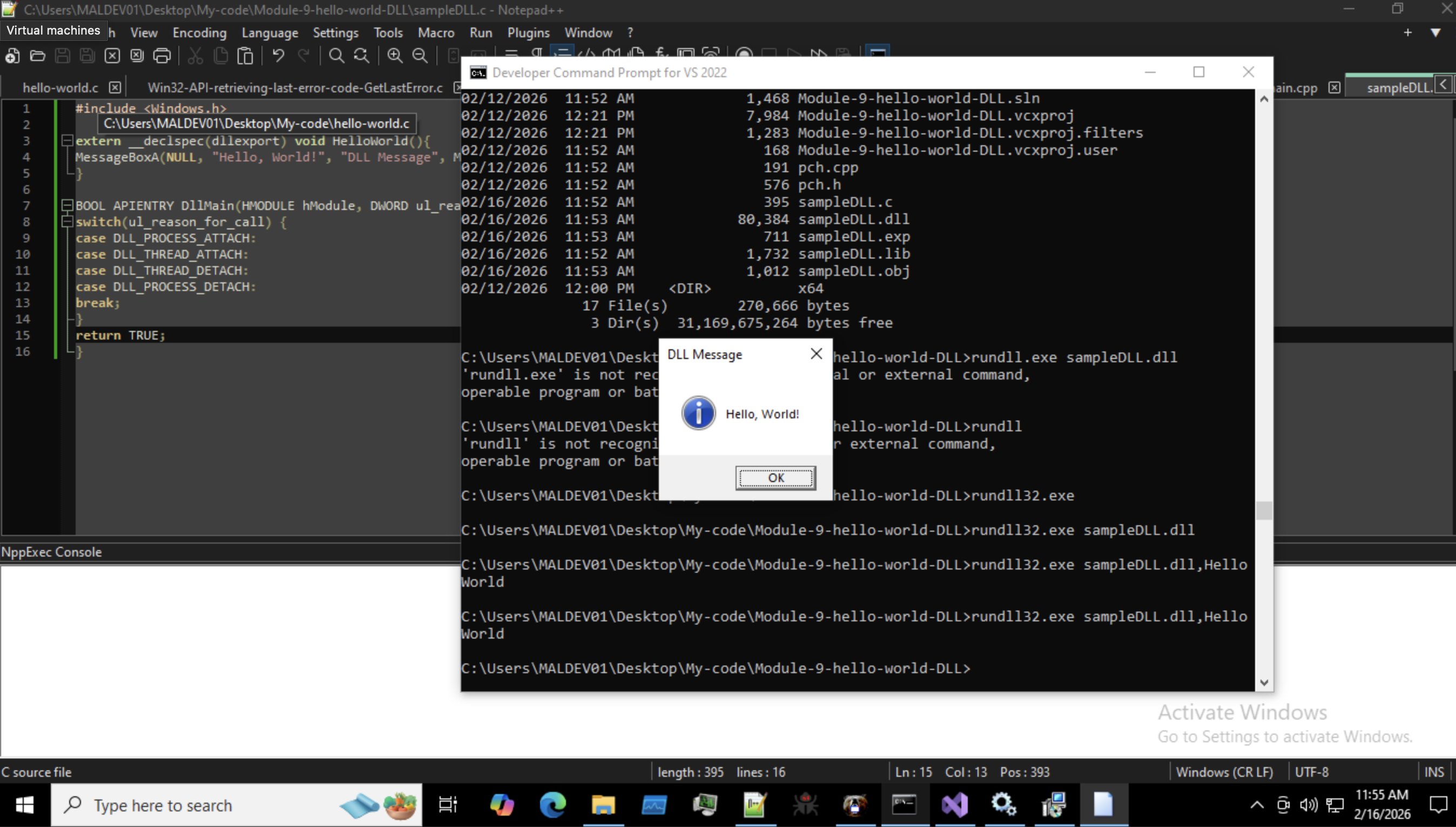
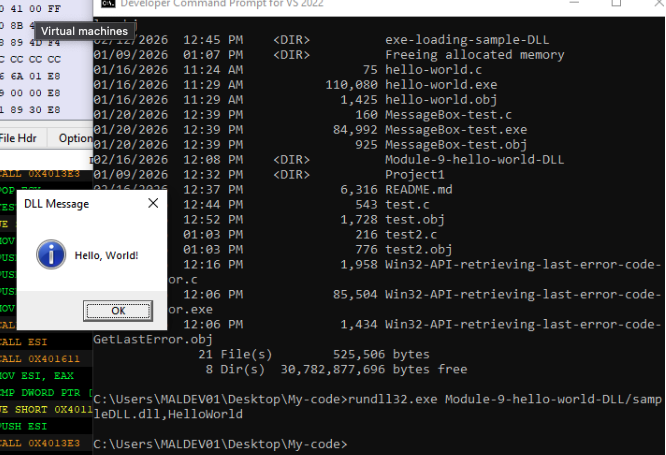
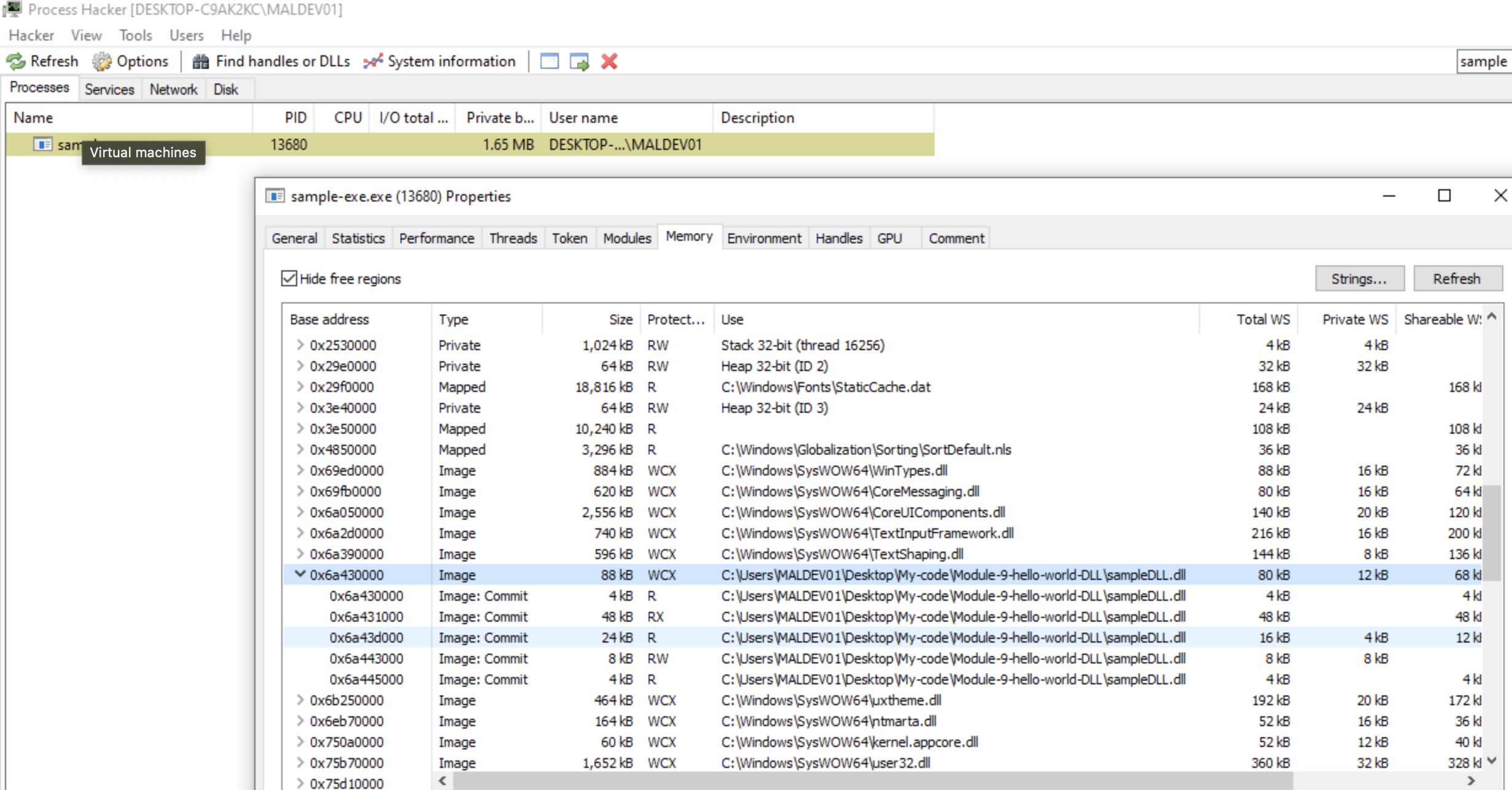
See the DLL and exe code here.
See the DLL and exe in action below.
Example YARA rule from https://yara.readthedocs.io/en/stable/writingrules.html:
rule ExampleRule
{
    strings:
        $my_text_string = "text here"
        $my_hex_string = { E2 34 A1 C8 23 FB }

    condition:
        $my_text_string or $my_hex_string
}
Some more notes from this chapter of the documentation:
" Rules are generally composed of two sections: strings definition and condition.
The strings definition section can be omitted if the rule doesn’t rely on any string, but the condition section is always required. The strings definition section is where the strings that will be part of the rule are defined. Each string has an identifier consisting of a $ character followed by a sequence of alphanumeric characters and underscores, these identifiers can be used in the condition section to refer to the corresponding string. Strings can be defined in text or hexadecimal.(…) Text strings are enclosed in double quotes just like in the C language. Hex strings are enclosed by curly brackets, and they are composed by a sequence of hexadecimal numbers that can appear contiguously or separated by spaces. Decimal numbers are not allowed in hex strings.
The condition section is where the logic of the rule resides. This section must contain a boolean expression telling under which circumstances a file or process satisfies the rule or not. Generally, the condition will refer to previously defined strings by using their identifiers. In this context the string identifier acts as a boolean variable which evaluate to true if the string was found in the file or process memory, or false if otherwise. "
Other important aspects of rules: " Global rules give you the possibility of imposing restrictions in all your rules at once. (…) they will be evaluated before the rest of the rules, which in turn will be evaluated only if all global rules are satisifed. Private rules are (…) not reported by YARA when they match on a give file. Rule tags (…) can be used later to filter YARA’s output and show only the rules that you are interested in. "
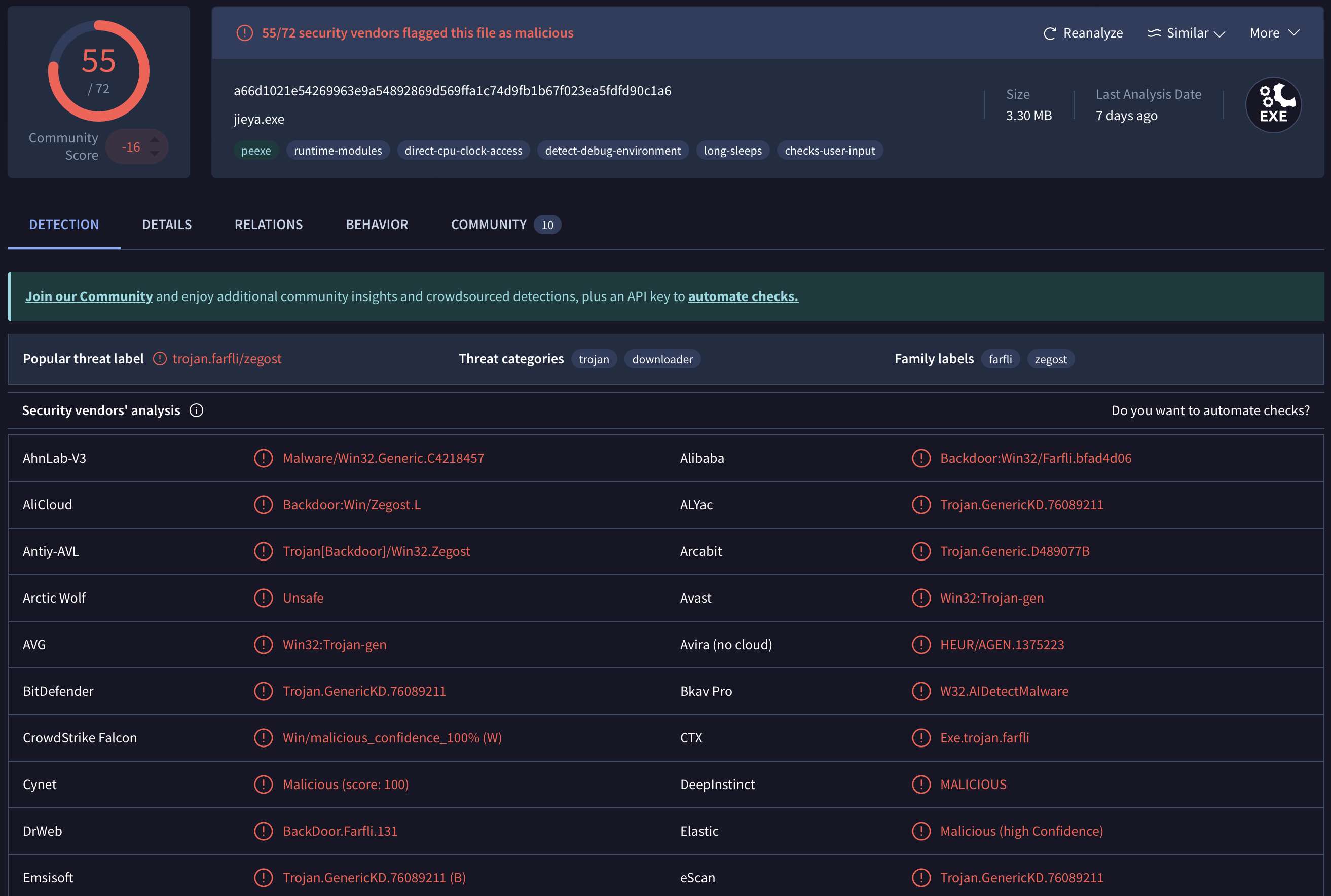
Below are some aspects of suspicious/malicious behavior this file performs.
[!info] VirusTotal categorizes malware behavior in the ‘Behavior’ tab not with Mitre Att&ck-framework taxonomy (f.e. T1659 for ‘Content Injection’) but instead an unfamiliar ‘OB0001’ for 'Anti-Behavior Analysis. These codes link back to the ‘MBC Project’ or 'Malware Behavior Catalog (link to Github-repo. About the relationship ATT&CK-MBC: “As a publicly available framework, The Malware Behavior Catalog (MBC) aims to directly and explicitly define malware behaviors and code characteristics to support malware analysis-oriented use cases. MBC defines behaviors outside ATT&CK’s scope and enhances some ATT&CK techniques and sub-techniques to be malware-focused.”
And many more, see the page here.
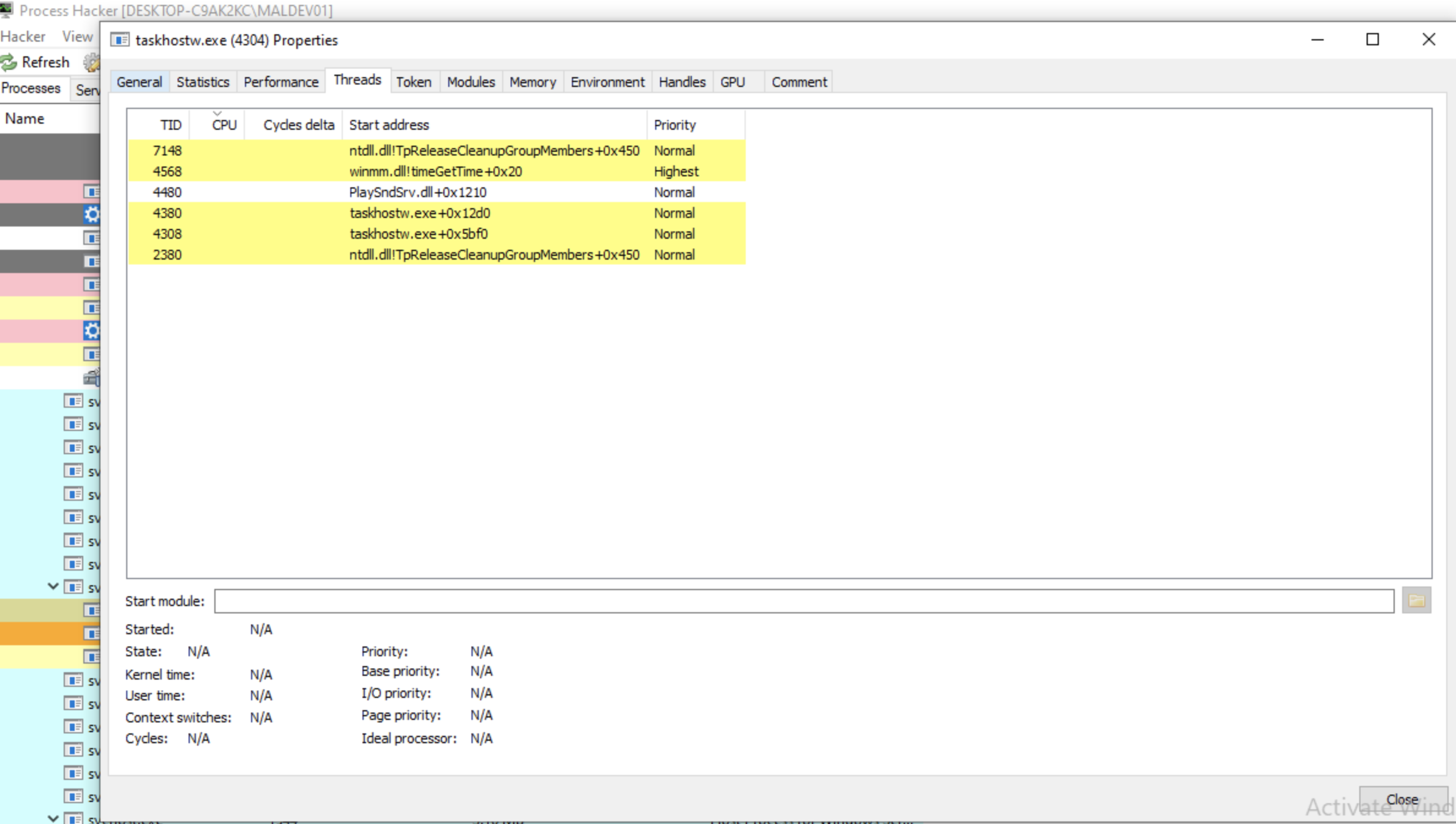
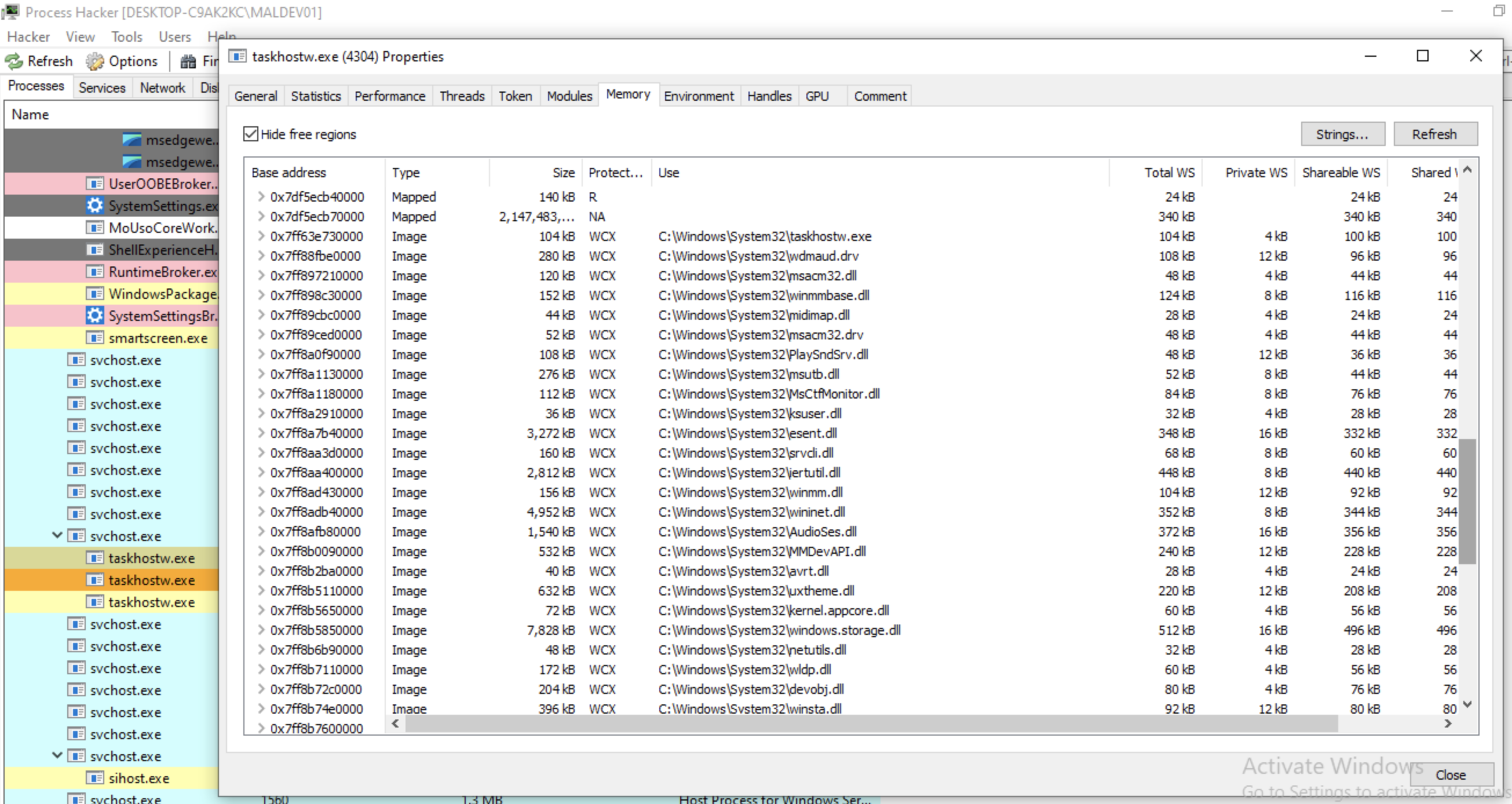
" OpenProcess
Function (processthreadsapi.h) Opens an existing local process object. "
HANDLE OpenProcess(
  [in] DWORD dwDesiredAccess,
  [in] BOOL  bInheritHandle,
  [in] DWORD dwProcessId
);
Parameters
[in] dwDesiredAccess
The access to the process object. This access right is checked against the security descriptor for the process. This parameter can be one or more of the process access rights.
If the caller has enabled the SeDebugPrivilege privilege, the requested access is granted regardless of the contents of the security descriptor.
[in] bInheritHandle
If this value is TRUE, processes created by this process will inherit the handle. Otherwise, the processes do not inherit this handle.
[in] dwProcessId
The identifier of the local process to be opened.
If the specified process is the System Idle Process (0x00000000), the function fails and the last error code is ERROR_INVALID_PARAMETER. If the specified process is the System process or one of the Client Server Run-Time Subsystem (CSRSS) processes, this function fails and the last error code is ERROR_ACCESS_DENIED because their access restrictions prevent user-level code from opening them.
If you are using GetCurrentProcessId as an argument to this function, consider using GetCurrentProcess instead of OpenProcess, for improved performance.
Return value If the function succeeds, the return value is an open handle to the specified process. If the function fails, the return value is NULL. To get extended error information, call GetLastError.
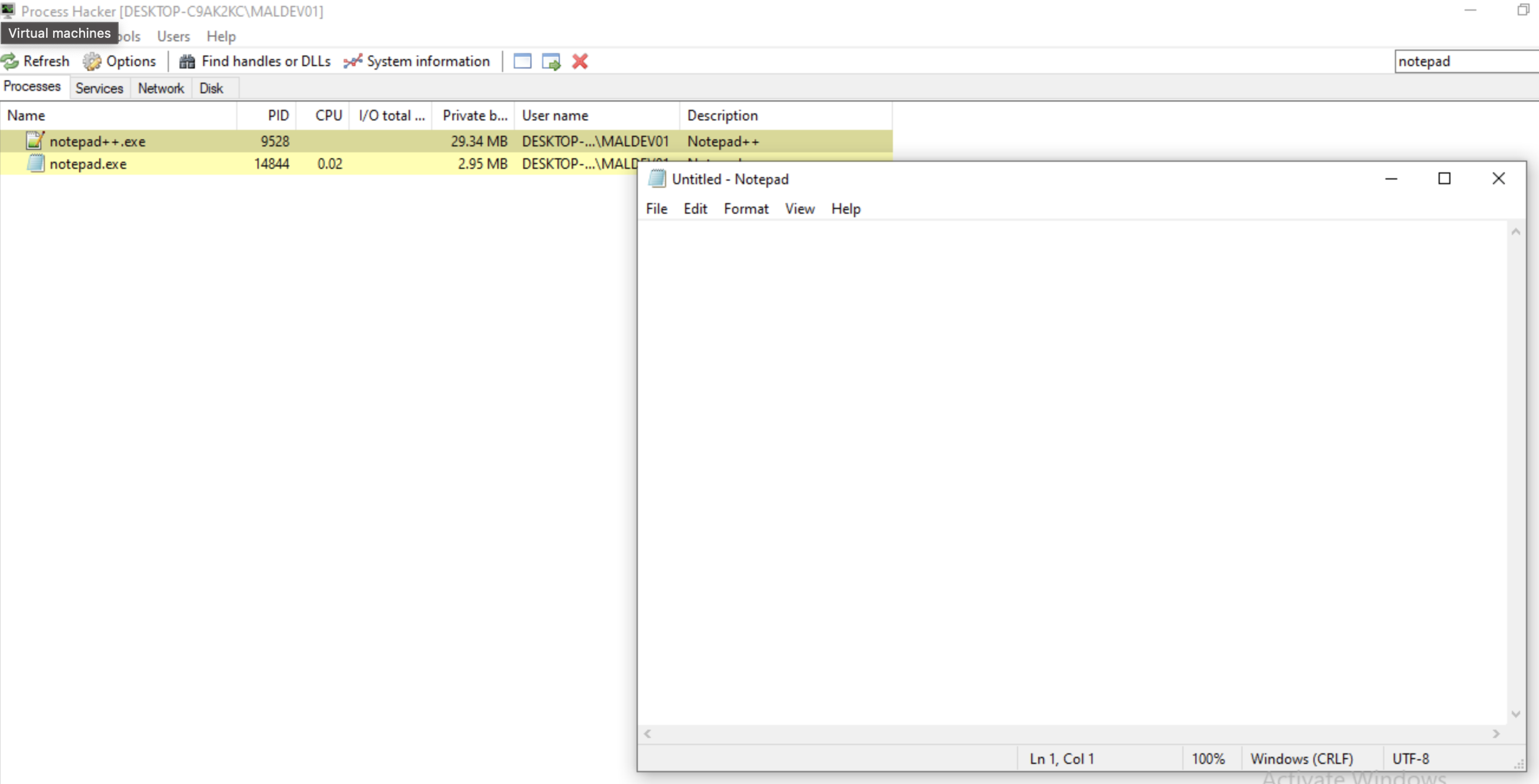
[!tip] To print a handle in C using printf(), you typically convert the handle to a pointer type and use the %p format specifier. For example, if you have a handle defined as HANDLE h = …;, you would write printf(“Handle: %p\n”, (void*)h); to display it.
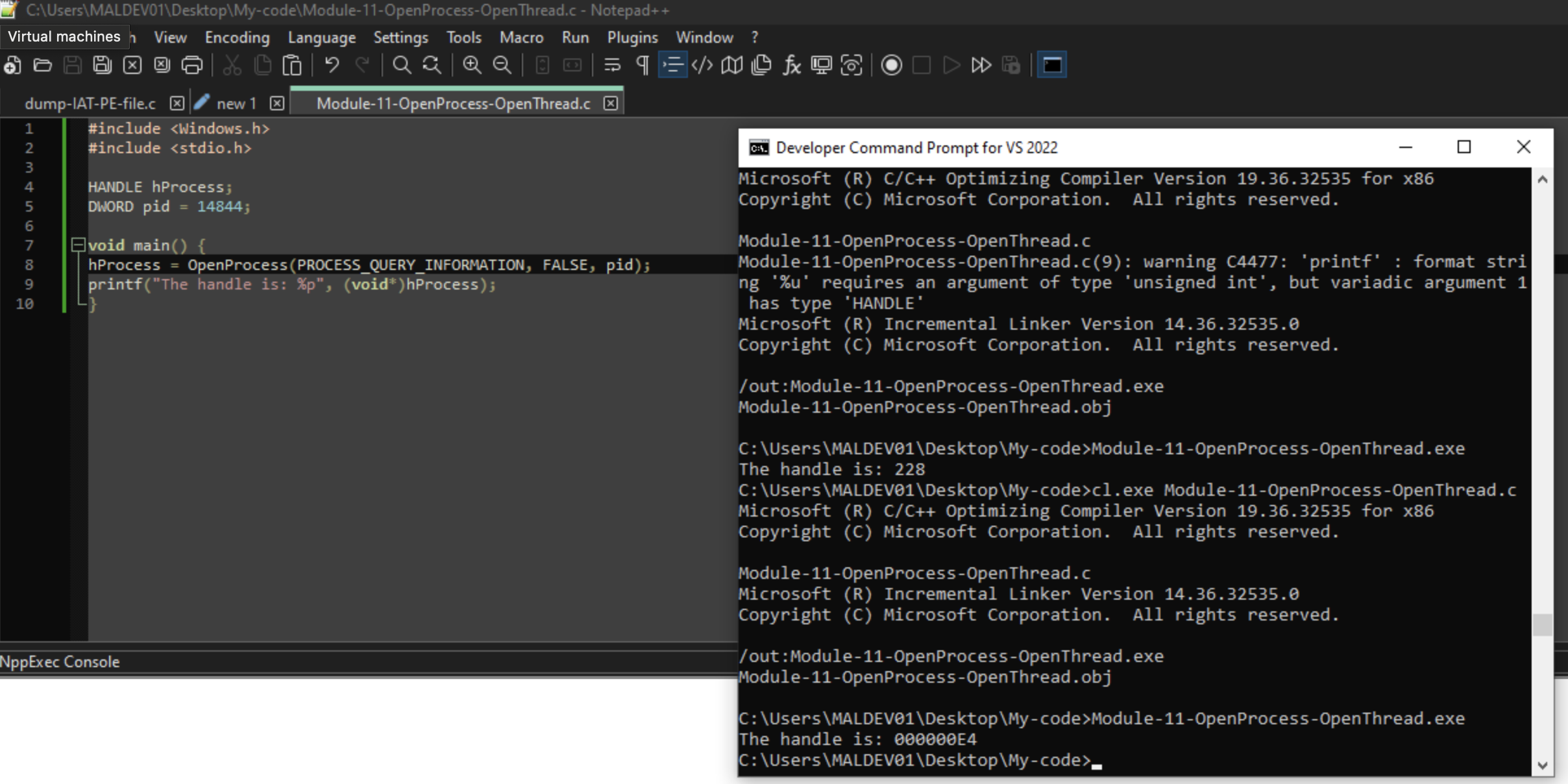
#include <Windows.h>
#include <stdio.h>

HANDLE hProcess;
DWORD pid = 14844;

void main() {
hProcess = OpenProcess(PROCESS_QUERY_INFORMATION, FALSE, pid);
printf("The handle is: %p", pid);
}
To reiterate, this module names three types of memory for processes:
Private memory -> dedicated to a single process.
Mapped memory -> shared libraries, shared memory segments, and shared files. Mapped memory is visible to other processes, but is protected from being modified by other processes. Source “ This documentation page also features some example code (unfortunately C#, which I’m unfamiliar with). Some notes from this code: “Persisted Memory-Mapped Files”” A memory-mapped file contains the contents of a file in virtual memory. This mapping between a file and memory space enables an application, including multiple processes, to modify the file by reading and writing directly to the memory. (…) There are two types of memory-mapped files: - Persisted memory-mapped files Persisted files (…) are associated with a source file on a disk. When the last process has finished working with the file, the data is saved to the source file on the disk. These memory-mapped files are suitable for working with extremely large source files. - Non-persisted memory-mapped files Non-persisted files (…) are not associated with a file on a disk. When the last process has finished working with the file, the data is lost and the file is reclaimed by garbage collection. These files are suitable for creating shared memory for inter-process communications (IPC). _To work with a memory-mapped file, you must create a view of the entire memory-mapped file or a part of it. (…) Use stream access views for sequential access to a file; this is recommended for non-persisted files and IPC. Random access views are preferred for working with persisted files. _ (…)
create a memory-mapped file: “_(…) `var mmf = MemoryMappedFile.CreateFromFile(@“c:\ExtremelyLargeImage.data”, FileMode.Open,“ImgA”) _”
create a random access view from a 256 megabytes offset to the 768th megabyte (the offset plus a 512 megabyte length): var accessor = mmf.CreateViewAccessor(offset, length)
Image memory -> contains the code and data of an executable file, DLL files loaded into address space.
BeingDebugged
Indicates whether the specified process is currently being debugged. The PEB structure, however, is an internal operating-system structure whose layout may change in the future. It is best to use the CheckRemoteDebuggerPresent function instead.
Ldr
A pointer to a PEB_LDR_DATA structure that contains information about the loaded modules for the process.
ProcessParameters
A pointer to an RTL_USER_PROCESS_PARAMETERS structure that contains process parameter information such as the command line.
AtlThunkSListPtr
AtlThunkSListPtr32
PostProcessInitRoutine
Not supported.
SessionId
The Terminal Services session identifier associated with the current process.
[This structure may be altered in future versions of Windows. Applications should use the alternate functions listed in this topic.] The Thread Environment Block (TEB) structure describes the state of a thread.
typedef struct _TEB {
  PVOID Reserved1[12];
  PPEB  ProcessEnvironmentBlock;
  PVOID Reserved2[399];
  BYTE  Reserved3[1952];
  PVOID TlsSlots[64];
  BYTE  Reserved4[8];
  PVOID Reserved5[26];
  PVOID ReservedForOle;
  PVOID Reserved6[4];
  PVOID TlsExpansionSlots;
} TEB, *PTEB;
ProcessEnvironmentBlock A pointer to the PEB structure that contains information for the process as a whole. TlsSlots[64] Data for Thread Local Storage. Call the TlsGetValue function to access it. ReservedForOle Do not use. Call CoGetContextToken instead. TlsExpansionSlots Additional data for Thread Local Storage. Call the TlsGetValue function to access it.
Remarks
The definition of this structure may change from one version of Windows to the next. Do not assume a maximum size for this structure. To see the members of this structure, refer to winternal.h. You should not directly access this structure. To access the values of the TlsSlots and TlsExpansionSlots fields, call TlsGetValue. To access the value of the ReservedForOle field, call CoGetContextToken. In the following versions of Windows, the offset of the 32-bit TEB address within the 64-bit TEB is 0. This can be used to directly access the 32-bit TEB of a WOW64 thread. This might change in later versions of Windows.
winternl.hProcess Hacker’s Header Files:
https://github.com/winsiderss/systeminformer/tree/master/phnt/include
The start of the unofficial PEB structure definition from the Process Hacker/System Informer-project can be read starting from:
https://github.com/winsiderss/systeminformer/blob/master/phnt/include/ntpebteb.h#L935
For easy comparison, below I want to show as much of both definitions.
First, the PEB structure as documented by Microsoft:
typedef struct _PEB {
  BYTE                          Reserved1[2];
  BYTE                          BeingDebugged;
  BYTE                          Reserved2[1];
  PVOID                         Reserved3[2];
  PPEB_LDR_DATA                 Ldr;
  PRTL_USER_PROCESS_PARAMETERS  ProcessParameters;
  PVOID                         Reserved4[3];
  PVOID                         AtlThunkSListPtr;
  PVOID                         Reserved5;
  ULONG                         Reserved6;
  PVOID                         Reserved7;
  ULONG                         Reserved8;
  ULONG                         AtlThunkSListPtr32;
  PVOID                         Reserved9[45];
  BYTE                          Reserved10[96];
  PPS_POST_PROCESS_INIT_ROUTINE PostProcessInitRoutine;
  BYTE                          Reserved11[128];
  PVOID                         Reserved12[1];
  ULONG                         SessionId;
} PEB, *PPEB;
Second, the unofficial PEB structure definition from the Process Hacker/System Informer:
/**
 * Process Environment Block (PEB) structure.
 *
 * \sa https://learn.microsoft.com/en-us/windows/win32/api/winternl/ns-winternl-peb
 */
typedef struct _PEB
{
    //
    // The process was cloned with an inherited address space.
    //
    BOOLEAN InheritedAddressSpace;

    //
    // The process has image file execution options (IFEO).
    //
    BOOLEAN ReadImageFileExecOptions;

    //
    // The process has a debugger attached.
    //
    BOOLEAN BeingDebugged;

    union
    {
        BOOLEAN BitField;
        struct
        {
            BOOLEAN ImageUsesLargePages : 1;            // The process uses large image regions (4 MB).
            BOOLEAN IsProtectedProcess : 1;             // The process is a protected process.
            BOOLEAN IsImageDynamicallyRelocated : 1;    // The process image base address was relocated.
            BOOLEAN SkipPatchingUser32Forwarders : 1;   // The process skipped forwarders for User32.dll functions. 1 for 64-bit, 0 for 32-bit.
            BOOLEAN IsPackagedProcess : 1;              // The process is a packaged store process (APPX/MSIX).
            BOOLEAN IsAppContainerProcess : 1;          // The process has an AppContainer token.
            BOOLEAN IsProtectedProcessLight : 1;        // The process is a protected process (light).
            BOOLEAN IsLongPathAwareProcess : 1;         // The process is long path aware.
        };
    };

    //
    // Handle to a mutex for synchronization.
    //
    HANDLE Mutant;

    //
    // Pointer to the base address of the process image.
    //
    PVOID ImageBaseAddress;

    //
    // Pointer to the process loader data.
    //
    PPEB_LDR_DATA Ldr;

    //
    // Pointer to the process parameters.
    //
    PRTL_USER_PROCESS_PARAMETERS ProcessParameters;

    //
    // Reserved.
    //
    PVOID SubSystemData;

    //
    // Pointer to the process default heap.
    //
    PHEAP ProcessHeap;

    //
    // Pointer to a critical section used to synchronize access to the PEB.
    //
    PRTL_CRITICAL_SECTION FastPebLock;

    //
    // Pointer to a singly linked list used by ATL.
    //
    PSLIST_HEADER AtlThunkSListPtr;

    //
    // Handle to the Image File Execution Options key.
    //
    HANDLE IFEOKey;

    //
    // Cross process flags.
    //
    union
    {
        ULONG CrossProcessFlags;
        struct
        {
            ULONG ProcessInJob : 1;                 // The process is part of a job.
            ULONG ProcessInitializing : 1;          // The process is initializing.
            ULONG ProcessUsingVEH : 1;              // The process is using VEH.
            ULONG ProcessUsingVCH : 1;              // The process is using VCH.
            ULONG ProcessUsingFTH : 1;              // The process is using FTH.
            ULONG ProcessPreviouslyThrottled : 1;   // The process was previously throttled.
            ULONG ProcessCurrentlyThrottled : 1;    // The process is currently throttled.
            ULONG ProcessImagesHotPatched : 1;      // The process images are hot patched. // RS5
            ULONG ReservedBits0 : 24;
        };
    };

    //
    // User32 KERNEL_CALLBACK_TABLE (ntuser.h)
    //
    union
    {
        PKERNEL_CALLBACK_TABLE KernelCallbackTable;
        PVOID UserSharedInfoPtr;
    };

    //
    // Reserved.
    //
    ULONG SystemReserved;

    //
    // Pointer to the Active Template Library (ATL) singly linked list (32-bit)
    //
    ULONG AtlThunkSListPtr32;

    //
    // Pointer to the API Set Schema.
    //
    PAPI_SET_NAMESPACE ApiSetMap;

    //
    // Counter for TLS expansion.
    //
    ULONG TlsExpansionCounter;

    //
    // Pointer to the TLS bitmap.
    //
    PRTL_BITMAP TlsBitmap;

    //
    // Bits for the TLS bitmap.
    //
    ULONG TlsBitmapBits[2];

    //
    // Reserved for CSRSS.
    //
    PVOID ReadOnlySharedMemoryBase;

    //
    // Pointer to the USER_SHARED_DATA for the current SILO.
    //
    PSILO_USER_SHARED_DATA SharedData;

    //
    // Reserved for CSRSS.
    //
    PVOID* ReadOnlyStaticServerData;

    //
    // Pointer to the ANSI code page data.
    //
    PCPTABLEINFO AnsiCodePageData;

    //
    // Pointer to the OEM code page data.
    //
    PCPTABLEINFO OemCodePageData;

    //
    // Pointer to the Unicode case table data.
    //
    PNLSTABLEINFO UnicodeCaseTableData;

    //
    // The total number of system processors.
    //
    ULONG NumberOfProcessors;

    //
    // Global flags for the system.
    //
    union
    {
        ULONG NtGlobalFlag;
        struct
        {
            ULONG StopOnException : 1;          // FLG_STOP_ON_EXCEPTION
            ULONG ShowLoaderSnaps : 1;          // FLG_SHOW_LDR_SNAPS
            ULONG DebugInitialCommand : 1;      // FLG_DEBUG_INITIAL_COMMAND
            ULONG StopOnHungGUI : 1;            // FLG_STOP_ON_HUNG_GUI
            ULONG HeapEnableTailCheck : 1;      // FLG_HEAP_ENABLE_TAIL_CHECK
            ULONG HeapEnableFreeCheck : 1;      // FLG_HEAP_ENABLE_FREE_CHECK
            ULONG HeapValidateParameters : 1;   // FLG_HEAP_VALIDATE_PARAMETERS
            ULONG HeapValidateAll : 1;          // FLG_HEAP_VALIDATE_ALL
            ULONG ApplicationVerifier : 1;      // FLG_APPLICATION_VERIFIER
            ULONG MonitorSilentProcessExit : 1; // FLG_MONITOR_SILENT_PROCESS_EXIT
            ULONG PoolEnableTagging : 1;        // FLG_POOL_ENABLE_TAGGING
            ULONG HeapEnableTagging : 1;        // FLG_HEAP_ENABLE_TAGGING
            ULONG UserStackTraceDb : 1;         // FLG_USER_STACK_TRACE_DB
            ULONG KernelStackTraceDb : 1;       // FLG_KERNEL_STACK_TRACE_DB
            ULONG MaintainObjectTypeList : 1;   // FLG_MAINTAIN_OBJECT_TYPELIST
            ULONG HeapEnableTagByDll : 1;       // FLG_HEAP_ENABLE_TAG_BY_DLL
            ULONG DisableStackExtension : 1;    // FLG_DISABLE_STACK_EXTENSION
            ULONG EnableCsrDebug : 1;           // FLG_ENABLE_CSRDEBUG
            ULONG EnableKDebugSymbolLoad : 1;   // FLG_ENABLE_KDEBUG_SYMBOL_LOAD
            ULONG DisablePageKernelStacks : 1;  // FLG_DISABLE_PAGE_KERNEL_STACKS
            ULONG EnableSystemCritBreaks : 1;   // FLG_ENABLE_SYSTEM_CRIT_BREAKS
            ULONG HeapDisableCoalescing : 1;    // FLG_HEAP_DISABLE_COALESCING
            ULONG EnableCloseExceptions : 1;    // FLG_ENABLE_CLOSE_EXCEPTIONS
            ULONG EnableExceptionLogging : 1;   // FLG_ENABLE_EXCEPTION_LOGGING
            ULONG EnableHandleTypeTagging : 1;  // FLG_ENABLE_HANDLE_TYPE_TAGGING
            ULONG HeapPageAllocs : 1;           // FLG_HEAP_PAGE_ALLOCS
            ULONG DebugInitialCommandEx : 1;    // FLG_DEBUG_INITIAL_COMMAND_EX
            ULONG DisableDbgPrint : 1;          // FLG_DISABLE_DBGPRINT
            ULONG CritSecEventCreation : 1;     // FLG_CRITSEC_EVENT_CREATION
            ULONG LdrTopDown : 1;               // FLG_LDR_TOP_DOWN
            ULONG EnableHandleExceptions : 1;   // FLG_ENABLE_HANDLE_EXCEPTIONS
            ULONG DisableProtDlls : 1;          // FLG_DISABLE_PROTDLLS
        } NtGlobalFlags;
    };

    //
    // Timeout for critical sections.
    //
    LARGE_INTEGER CriticalSectionTimeout;

    //
    // Reserved size for heap segments.
    //
    SIZE_T HeapSegmentReserve;

    //
    // Committed size for heap segments.
    //
    SIZE_T HeapSegmentCommit;

    //
    // Threshold for decommitting total free heap.
    //
    SIZE_T HeapDeCommitTotalFreeThreshold;

    //
    // Threshold for decommitting free heap blocks.
    //
    SIZE_T HeapDeCommitFreeBlockThreshold;

    //
    // Number of process heaps.
    //
    ULONG NumberOfHeaps;

    //
    // Maximum number of process heaps.
    //
    ULONG MaximumNumberOfHeaps;

    //
    // Pointer to an array of process heaps. ProcessHeaps is initialized
    // to point to the first free byte after the PEB and MaximumNumberOfHeaps
    // is computed from the page size used to hold the PEB, less the fixed
    // size of this data structure.
    //
    PVOID* ProcessHeaps;

    //
    // Pointer to the system GDI shared handle table.
    //
    PGDI_HANDLE_ENTRY GdiSharedHandleTable;

    //
    // Pointer to the process starter helper.
    //
    PPS_PROCESS_START_ROUTINE ProcessStarterHelper;

    //
    // The maximum number of GDI function calls during batch operations (GdiSetBatchLimit)
    //
    ULONG GdiDCAttributeList;

    //
    // Pointer to the loader lock critical section.
    //
    PRTL_CRITICAL_SECTION LoaderLock;

    //
    // Major version of the operating system.
    //
    ULONG OSMajorVersion;

    //
    // Minor version of the operating system.
    //
    ULONG OSMinorVersion;

    //
    // Build number of the operating system.
    //
    USHORT OSBuildNumber;

    //
    // CSD version of the operating system.
    //
    USHORT OSCSDVersion;

    //
    // Platform ID of the operating system.
    //
    ULONG OSPlatformId;

    //
    // Subsystem version of the current process image (PE Headers).
    //
    ULONG ImageSubsystem;

    //
    // Major version of the current process image subsystem (PE Headers).
    //
    ULONG ImageSubsystemMajorVersion;

    //
    // Minor version of the current process image subsystem (PE Headers).
    //
    ULONG ImageSubsystemMinorVersion;

    //
    // Affinity mask for the current process.
    //
    KAFFINITY ActiveProcessAffinityMask;

    //
    // Temporary buffer for GDI handles accumulated in the current batch.
    //
    GDI_HANDLE_BUFFER GdiHandleBuffer;

    //
    // Pointer to the post-process initialization routine available for use by the application.
    //
    PPS_POST_PROCESS_INIT_ROUTINE PostProcessInitRoutine;

    //
    // Pointer to the TLS expansion bitmap.
    //
    PRTL_BITMAP TlsExpansionBitmap;

    //
    // Bits for the TLS expansion bitmap. TLS_EXPANSION_SLOTS
    //
    ULONG TlsExpansionBitmapBits[32];

    //
    // Session ID of the current process.
    //
    ULONG SessionId;

    //
    // Application compatibility flags. KACF_*
    //
    ULARGE_INTEGER AppCompatFlags;

    //
    // Application compatibility flags. KACF_*
    //
    ULARGE_INTEGER AppCompatFlagsUser;

    //
    // Pointer to the Application SwitchBack Compatibility Engine.
    //
    PSHIM_PROCESS_CONTEXT pShimData;

    //
    // Pointer to the Application Compatibility Engine.
    //
    PAPPCOMPAT_EXE_DATA AppCompatInfo;

    //
    // CSD version string of the operating system.
    //
    UNICODE_STRING CSDVersion;

    //
    // Pointer to the process activation context.
    //
    PACTIVATION_CONTEXT_DATA ActivationContextData;

    //
    // Pointer to the process assembly storage map.
    //
    PASSEMBLY_STORAGE_MAP ProcessAssemblyStorageMap;

    //
    // Pointer to the system default activation context.
    //
    PACTIVATION_CONTEXT_DATA SystemDefaultActivationContextData;

    //
    // Pointer to the system assembly storage map.
    //
    PASSEMBLY_STORAGE_MAP SystemAssemblyStorageMap;

    //
    // Minimum stack commit size.
    //
    SIZE_T MinimumStackCommit;

    //
    // since 19H1 (previously FlsCallback to FlsHighIndex)
    //
    PVOID SparePointers[2];

    //
    // Pointer to the patch loader data.
    //
    PLDR_PATCH_TABLE PatchLoaderData;

    //
    // Pointer to the CHPE V2 process information. CHPEV2_PROCESS_INFO
    //
    PVOID ChpeV2ProcessInfo;

    //
    // Packaged process feature state.
    //
    ULONG AppModelFeatureState;

    //
    // SpareUlongs
    //
    ULONG SpareUlongs[2];

    //
    // Active code page.
    //
    USHORT ActiveCodePage;

    //
    // OEM code page.
    //
    USHORT OemCodePage;

    //
    // Code page case mapping.
    //
    USHORT UseCaseMapping;

    //
    // Unused NLS field.
    //
    USHORT UnusedNlsField;

    //
    // Pointer to the application WER registration data.
    //
    PWER_PEB_HEADER_BLOCK WerRegistrationData;

    //
    // Pointer to the application WER assert pointer.
    //
    PWER_REGISTRATION_DATA WerShipAssertPtr;

    //
    // Pointer to the EC bitmap on ARM64. (Windows 11 and above)
    //
    union
    {
        PVOID pContextData; // Pointer to the switchback compatibility engine (Windows 7 and below)
        PVOID EcCodeBitMap; // Pointer to the EC bitmap on ARM64 (Windows 11 and above) // since WIN11
    };

    //
    // Reserved.
    //
    PVOID ImageHeaderHash;

    //
    // ETW tracing flags.
    //
    union
    {
        ULONG TracingFlags;
        struct
        {
            ULONG HeapTracingEnabled : 1;       // ETW heap tracing enabled.
            ULONG CritSecTracingEnabled : 1;    // ETW lock tracing enabled.
            ULONG LibLoaderTracingEnabled : 1;  // ETW loader tracing enabled.
            ULONG SpareTracingBits : 29;
        };
    };

    //
    // Reserved for CSRSS.
    //
    ULONGLONG CsrServerReadOnlySharedMemoryBase;

    //
    // Thread pool worker list lock.
    //
    PRTL_SRWLOCK TppWorkerpListLock;

    //
    // Thread pool worker list.
    //
    LIST_ENTRY TppWorkerpList;

    //
    // Wait on address hash table. (RtlWaitOnAddress)
    //
    PVOID WaitOnAddressHashTable[128];

    //
    // Pointer to the telemetry coverage header. // since RS3
    //
    PTELEMETRY_COVERAGE_HEADER TelemetryCoverageHeader;

    //
    // Cloud file flags. (ProjFs and Cloud Files) // since RS4
    //
    ULONG CloudFileFlags;

    //
    // Cloud file diagnostic flags.
    //
    ULONG CloudFileDiagFlags;

    //
    // Placeholder compatibility mode. (ProjFs and Cloud Files)
    //
    CHAR PlaceholderCompatibilityMode;

    //
    // Reserved for placeholder compatibility mode.
    //
    CHAR PlaceholderCompatibilityModeReserved[7];

    //
    // Pointer to leap second data. // since RS5
    //
    PLEAP_SECOND_DATA LeapSecondData;

    //
    // Leap second flags.
    //
    union
    {
        ULONG LeapSecondFlags;
        struct
        {
            ULONG SixtySecondEnabled : 1; // Leap seconds enabled.
            ULONG Reserved : 31;
        };
    };

    //
    // Global flags for the process.
    //
    ULONG NtGlobalFlag2;

    //
    // Extended feature disable mask (AVX). // since WIN11
    //
    ULONGLONG ExtendedFeatureDisableMask;
} PEB, *PPEB;
Some general notes first:
The unofficial documentation mentions several UNION-type elements, like BitField. Unions are user-defined data types that can hold different data types, which unlike a structure, stores all its members in the same memory location.
The particular BitField-member contains the following struct:
struct
        {
            BOOLEAN ImageUsesLargePages : 1;            // The process uses large image regions (4 MB).
            BOOLEAN IsProtectedProcess : 1;             // The process is a protected process.
            BOOLEAN IsImageDynamicallyRelocated : 1;    // The process image base address was relocated.
            BOOLEAN SkipPatchingUser32Forwarders : 1;   // The process skipped forwarders for User32.dll functions. 1 for 64-bit, 0 for 32-bit.
            BOOLEAN IsPackagedProcess : 1;              // The process is a packaged store process (APPX/MSIX).
            BOOLEAN IsAppContainerProcess : 1;          // The process has an AppContainer token.
            BOOLEAN IsProtectedProcessLight : 1;        // The process is a protected process (light).
            BOOLEAN IsLongPathAwareProcess : 1;         // The process is long path aware.
        };
[!note] Source: https://icarus.cs.weber.edu/dab/cs1410/textbook/5.Structures/unions.html
Like structures, unions and bit-fields have named fields, but they treat them differently. Bit-fields allow programmers to specify each field’s size measured in bits. Unions can only save one field at a time, allocating only enough space to save the largest and “wasting” space when saving the smaller ones.
A structure allocates enough memory to contain all the fields simultaneously. It’s like a basket that can hold many items and allows the program to handle them as a group.
In contrast, a union typically specifies two or more fields of different types but only allocates enough memory to contain the largest. All fields share this memory, implying that a union can only hold one field value at a time.
Second, we compare the Reserved-members and the unofficial PEB-struct-members to identify some members of interest to investigate further with comments explaining their functionality:
- `Reserved1[2]`
    - `BOOLEAN InheritedAddressSpace`
    - `BOOLEAN ReadImageFileExecOptions`
- `Reserved2[1]`
    - `BOOLEAN BitField`
- `Reserved3[2]`
    - `HANDLE Mutant`
    - `PVOID ImageBaseAddress`
- `Reserved[4]`
    - `PVOID SubSystemData` (Reserved)
    - `PHEAP ProcessHeap` (Pointer to the process default heap)
    - `PRTL_CRITICAL_SECTION FastPebLock` (Pointer to a critical section used to synchronize access to the PEB.)
    - `PSLIST_HEADER AtlThunkSListPtr` (Pointer to a singly linked list used by ATL)
- `Reserved5`
    - `HANDLE IFEOKey` (Handle to the Image File Execution Options key)
- `Reserved6`
    - union `ULONG CrossProcessFlags` (Cross process flags)
- `Reserved7`
    - union `PKERNEL_CALLBACK_TABLE KernelCallbackTable` (ntuser.h)
- `Reserved8`
    - `ULONG SystemReserved` (Reserved)
- `Reserved9[45]`
    - Too many to name here (45!) but some of interest:
        - `PAPI_SET_NAMESPACE ApiSetMap` (Pointer to the API Set Schema)
        - `ULONG NtGlobalFlag` (Global flags for the system)
[!note] Source: https://ntdoc.m417z.com/peb
The process was cloned with an inherited address space.
BOOLEAN InheritedAddressSpaceHandle to a mutex for synchronization.
HANDLE Mutant
To briefly explain what a ‘mutex’ is:
[!note] Source: https://learn.microsoft.com/en-us/windows/win32/sync/using-mutex-objects You can use a mutex object to protect a shared resource from simultaneous access by multiple threads or processes. Each thread must wait for ownership of the mutex before it can execute the code that accesses the shared resource. For example, if several threads share access to a database, the threads can use a mutex object to permit only one thread at a time to write to the database.
Some example code on how to create and use mutexes can be found in this Microsoft-documentation.
To conclude the answer to this objective question:
Reserved2[x] PEB-struct members refer to separate members that are defined in the unofficial documentation, like InheritedAddressSpace and ReadImageFileExecOptions.Doesn’t feature any documentation, same source of previously documented PEB-struct-members not explained in official documentation.
To quote the website’s ‘About’-page:
[!note] Source: https://web.archive.org/web/20230401045934/http://undocumented.ntinternals.net/ The Undocumented Functions Microsoft Windows NT/2000/XP/Win7
Microsoft Windows NT/2000/XP/Win7
Currently includes: UserMode (Kernel Mode soon) This is an advanced, low-level programer’s guide to Windows NT Kernel, Native API and drivers. All remarks, fixes and comments are very welcome.
So for example the page ‘NtQuerySystemInformation’-page:
[!note] Source: https://web.archive.org/web/20230401045934/http://undocumented.ntinternals.net/
NTSYSAPI
NTSTATUS
NTAPI


NtQuerySystemInformation(


IN SYSTEM_INFORMATION_CLASS SystemInformationClass,
OUT PVOID               SystemInformation,
IN ULONG                SystemInformationLength,
OUT PULONG              ReturnLength OPTIONAL );
NtQuerySystemInformation is used to check some system informations avaiable only in KernelMode (above 0x80000000). All avaiable (or all known) information classes are described in SYSTEM_INFORMATION_CLASS.
From the ‘Main Page’-page:
p!note] source: https://doxygen.reactos.org/index.html This is a cross-reference of the ReactOS source code produced using the excellent Doxygen package. It is refreshed on a daily basis.
You can search the documentation using the menu and Search box on the left side of the page.
![note] Source: https://www.vergiliusproject.com/about About This project provides a collection of Microsoft Windows kernel structures, unionsand enumerations. Most of them are not officially documented and cannot be found in Windows Driver Kit (WDK) headers. The target audience of this site is driver developers and kernel researches.
Where did we get the information? Information about kernel structures, unions and enumerations is extracted frompublicly available PDB files. We wrote a sophisticated parser that reconstructs C/C++ code from PDB files. So far it"s the best known reconstructor as it can handle const/volatile modifiers, bit fields, function pointers, unions, arrays and anonymous types.
PDB-files, for reference, are ‘program database files’. From Microsoft documentation:
[!note] Source: https://learn.microsoft.com/en-us/visualstudio/debugger/specify-symbol-dot-pdb-and-source-files-in-the-visual-studio-debugger?view=visualstudio Program database (.pdb) files, also called symbol files, map identifiers and statements in your project’s source code to corresponding identifiers and instructions in compiled apps. These mapping files link the debugger to your source code, which enables debugging. When you build a project from the Visual Studio IDE with the standard Debug build configuration, the compiler creates the appropriate symbol files.
To make this information useful for the purposes of this course, we can take an ‘opaque’ structure like EPROCESS, which Microsoft states ‘serves as the the process object for a process’ (https://learn.microsoft.com/en-us/windows-hardware/drivers/kernel/eprocess). Looking at the documentation for the structure in the Vergilius project, see the definition below. Some notes:
//0x840 bytes (sizeof)
struct _EPROCESS
{
struct _KPROCESS Pcb; //0x0
struct _EX_PUSH_LOCK ProcessLock; //0x1c8
VOID* UniqueProcessId; //0x1d0
struct _LIST_ENTRY ActiveProcessLinks; //0x1d8
struct _EX_RUNDOWN_REF RundownProtect; //0x1e8
union
{
ULONG Flags2; //0x1f0
struct
{
ULONG JobNotReallyActive:1; //0x1f0
ULONG AccountingFolded:1; //0x1f0
ULONG NewProcessReported:1; //0x1f0
ULONG ExitProcessReported:1; //0x1f0
ULONG ReportCommitChanges:1; //0x1f0
ULONG LastReportMemory:1; //0x1f0
ULONG ForceWakeCharge:1; //0x1f0
ULONG CrossSessionCreate:1; //0x1f0
ULONG NeedsHandleRundown:1; //0x1f0
ULONG RefTraceEnabled:1; //0x1f0
ULONG PicoCreated:1; //0x1f0
ULONG EmptyJobEvaluated:1; //0x1f0
ULONG DefaultPagePriority:3; //0x1f0
ULONG PrimaryTokenFrozen:1; //0x1f0
ULONG ProcessVerifierTarget:1; //0x1f0
ULONG RestrictSetThreadContext:1; //0x1f0
ULONG AffinityPermanent:1; //0x1f0
ULONG AffinityUpdateEnable:1; //0x1f0
ULONG PropagateNode:1; //0x1f0
ULONG ExplicitAffinity:1; //0x1f0
ULONG Flags2Available1:2; //0x1f0
ULONG EnableReadVmLogging:1; //0x1f0
ULONG EnableWriteVmLogging:1; //0x1f0
ULONG FatalAccessTerminationRequested:1; //0x1f0
ULONG DisableSystemAllowedCpuSet:1; //0x1f0
ULONG Flags2Available2:3; //0x1f0
ULONG InPrivate:1; //0x1f0
};
};
union
{
ULONG Flags; //0x1f4
struct
{
ULONG CreateReported:1; //0x1f4
ULONG NoDebugInherit:1; //0x1f4
ULONG ProcessExiting:1; //0x1f4
ULONG ProcessDelete:1; //0x1f4
ULONG ManageExecutableMemoryWrites:1; //0x1f4
ULONG VmDeleted:1; //0x1f4
ULONG OutswapEnabled:1; //0x1f4
ULONG Outswapped:1; //0x1f4
ULONG FailFastOnCommitFail:1; //0x1f4
ULONG Wow64VaSpace4Gb:1; //0x1f4
ULONG AddressSpaceInitialized:2; //0x1f4
ULONG SetTimerResolution:1; //0x1f4
ULONG BreakOnTermination:1; //0x1f4
ULONG DeprioritizeViews:1; //0x1f4
ULONG WriteWatch:1; //0x1f4
ULONG ProcessInSession:1; //0x1f4
ULONG OverrideAddressSpace:1; //0x1f4
ULONG HasAddressSpace:1; //0x1f4
ULONG LaunchPrefetched:1; //0x1f4
ULONG Reserved:1; //0x1f4
ULONG VmTopDown:1; //0x1f4
ULONG ImageNotifyDone:1; //0x1f4
ULONG PdeUpdateNeeded:1; //0x1f4
ULONG VdmAllowed:1; //0x1f4
ULONG ProcessRundown:1; //0x1f4
ULONG ProcessInserted:1; //0x1f4
ULONG DefaultIoPriority:3; //0x1f4
ULONG ProcessSelfDelete:1; //0x1f4
ULONG SetTimerResolutionLink:1; //0x1f4
};
};
union _LARGE_INTEGER CreateTime; //0x1f8
ULONGLONG ProcessQuotaUsage[2]; //0x200
ULONGLONG ProcessQuotaPeak[2]; //0x210
ULONGLONG PeakVirtualSize; //0x220
ULONGLONG VirtualSize; //0x228
struct _LIST_ENTRY SessionProcessLinks; //0x230
union
{
VOID* ExceptionPortData; //0x240
ULONGLONG ExceptionPortValue; //0x240
ULONGLONG ExceptionPortState:3; //0x240
};
struct _EX_FAST_REF Token; //0x248
ULONGLONG MmReserved; //0x250
struct _EX_PUSH_LOCK AddressCreationLock; //0x258
struct _EX_PUSH_LOCK PageTableCommitmentLock; //0x260
struct _ETHREAD* RotateInProgress; //0x268
struct _ETHREAD* ForkInProgress; //0x270
struct _EJOB* volatile CommitChargeJob; //0x278
struct _RTL_AVL_TREE CloneRoot; //0x280
volatile ULONGLONG NumberOfPrivatePages; //0x288
volatile ULONGLONG NumberOfLockedPages; //0x290
VOID* Win32Process; //0x298
struct _EJOB* volatile Job; //0x2a0
VOID* SectionObject; //0x2a8
VOID* SectionBaseAddress; //0x2b0
ULONG Cookie; //0x2b8
struct _PAGEFAULT_HISTORY* WorkingSetWatch; //0x2c0
VOID* Win32WindowStation; //0x2c8
VOID* InheritedFromUniqueProcessId; //0x2d0
volatile ULONGLONG OwnerProcessId; //0x2d8
struct _PEB* Peb; //0x2e0
struct _PSP_SESSION_SPACE* Session; //0x2e8
VOID* Spare1; //0x2f0
struct _EPROCESS_QUOTA_BLOCK* QuotaBlock; //0x2f8
struct _HANDLE_TABLE* ObjectTable; //0x300
VOID* DebugPort; //0x308
struct _EWOW64PROCESS* WoW64Process; //0x310
struct _EX_FAST_REF DeviceMap; //0x318
VOID* EtwDataSource; //0x320
ULONGLONG PageDirectoryPte; //0x328
struct _FILE_OBJECT* ImageFilePointer; //0x330
UCHAR ImageFileName[15]; //0x338
UCHAR PriorityClass; //0x347
VOID* SecurityPort; //0x348
struct _SE_AUDIT_PROCESS_CREATION_INFO SeAuditProcessCreationInfo; //0x350
struct _LIST_ENTRY JobLinks; //0x358
VOID* HighestUserAddress; //0x368
struct _LIST_ENTRY ThreadListHead; //0x370
volatile ULONG ActiveThreads; //0x380
ULONG ImagePathHash; //0x384
ULONG DefaultHardErrorProcessing; //0x388
LONG LastThreadExitStatus; //0x38c
struct _EX_FAST_REF PrefetchTrace; //0x390
VOID* LockedPagesList; //0x398
union _LARGE_INTEGER ReadOperationCount; //0x3a0
union _LARGE_INTEGER WriteOperationCount; //0x3a8
union _LARGE_INTEGER OtherOperationCount; //0x3b0
union _LARGE_INTEGER ReadTransferCount; //0x3b8
union _LARGE_INTEGER WriteTransferCount; //0x3c0
union _LARGE_INTEGER OtherTransferCount; //0x3c8
ULONGLONG CommitChargeLimit; //0x3d0
volatile ULONGLONG CommitCharge; //0x3d8
volatile ULONGLONG CommitChargePeak; //0x3e0
struct _MMSUPPORT_FULL Vm; //0x400
struct _LIST_ENTRY MmProcessLinks; //0x540
volatile ULONG ModifiedPageCount; //0x550
LONG ExitStatus; //0x554
struct _RTL_AVL_TREE VadRoot; //0x558
VOID* VadHint; //0x560
ULONGLONG VadCount; //0x568
volatile ULONGLONG VadPhysicalPages; //0x570
ULONGLONG VadPhysicalPagesLimit; //0x578
struct _ALPC_PROCESS_CONTEXT AlpcContext; //0x580
struct _LIST_ENTRY TimerResolutionLink; //0x5a0
struct _PO_DIAG_STACK_RECORD* TimerResolutionStackRecord; //0x5b0
ULONG RequestedTimerResolution; //0x5b8
ULONG SmallestTimerResolution; //0x5bc
union _LARGE_INTEGER ExitTime; //0x5c0
struct _INVERTED_FUNCTION_TABLE_KERNEL_MODE* InvertedFunctionTable; //0x5c8
struct _EX_PUSH_LOCK InvertedFunctionTableLock; //0x5d0
ULONG ActiveThreadsHighWatermark; //0x5d8
ULONG LargePrivateVadCount; //0x5dc
struct _EX_PUSH_LOCK ThreadListLock; //0x5e0
VOID* WnfContext; //0x5e8
struct _EJOB* ServerSilo; //0x5f0
UCHAR SignatureLevel; //0x5f8
UCHAR SectionSignatureLevel; //0x5f9
struct _PS_PROTECTION Protection; //0x5fa
UCHAR HangCount:3; //0x5fb
UCHAR GhostCount:3; //0x5fb
UCHAR PrefilterException:1; //0x5fb
union
{
ULONG Flags3; //0x5fc
struct
{
ULONG Minimal:1; //0x5fc
ULONG ReplacingPageRoot:1; //0x5fc
ULONG Crashed:1; //0x5fc
ULONG JobVadsAreTracked:1; //0x5fc
ULONG VadTrackingDisabled:1; //0x5fc
ULONG AuxiliaryProcess:1; //0x5fc
ULONG SubsystemProcess:1; //0x5fc
ULONG IndirectCpuSets:1; //0x5fc
ULONG RelinquishedCommit:1; //0x5fc
ULONG HighGraphicsPriority:1; //0x5fc
ULONG CommitFailLogged:1; //0x5fc
ULONG ReserveFailLogged:1; //0x5fc
ULONG SystemProcess:1; //0x5fc
ULONG AllImagesAtBasePristineBase:1; //0x5fc
ULONG AddressPolicyFrozen:1; //0x5fc
ULONG ProcessFirstResume:1; //0x5fc
ULONG ForegroundExternal:1; //0x5fc
ULONG ForegroundSystem:1; //0x5fc
ULONG HighMemoryPriority:1; //0x5fc
ULONG EnableProcessSuspendResumeLogging:1; //0x5fc
ULONG EnableThreadSuspendResumeLogging:1; //0x5fc
ULONG SecurityDomainChanged:1; //0x5fc
ULONG SecurityFreezeComplete:1; //0x5fc
ULONG VmProcessorHost:1; //0x5fc
ULONG VmProcessorHostTransition:1; //0x5fc
ULONG AltSyscall:1; //0x5fc
ULONG TimerResolutionIgnore:1; //0x5fc
ULONG DisallowUserTerminate:1; //0x5fc
ULONG EnableProcessRemoteExecProtectVmLogging:1; //0x5fc
ULONG EnableProcessLocalExecProtectVmLogging:1; //0x5fc
ULONG MemoryCompressionProcess:1; //0x5fc
ULONG EnableProcessImpersonationLogging:1; //0x5fc
};
};
LONG DeviceAsid; //0x600
VOID* SvmData; //0x608
struct _EX_PUSH_LOCK SvmProcessLock; //0x610
ULONGLONG SvmLock; //0x618
struct _LIST_ENTRY SvmProcessDeviceListHead; //0x620
ULONGLONG LastFreezeInterruptTime; //0x630
struct _PROCESS_DISK_COUNTERS* DiskCounters; //0x638
VOID* PicoContext; //0x640
VOID* EnclaveTable; //0x648
ULONGLONG EnclaveNumber; //0x650
struct _EX_PUSH_LOCK EnclaveLock; //0x658
ULONG HighPriorityFaultsAllowed; //0x660
struct _PO_PROCESS_ENERGY_CONTEXT* EnergyContext; //0x668
VOID* VmContext; //0x670
ULONGLONG SequenceNumber; //0x678
ULONGLONG CreateInterruptTime; //0x680
ULONGLONG CreateUnbiasedInterruptTime; //0x688
ULONGLONG TotalUnbiasedFrozenTime; //0x690
ULONGLONG LastAppStateUpdateTime; //0x698
ULONGLONG LastAppStateUptime:61; //0x6a0
ULONGLONG LastAppState:3; //0x6a0
volatile ULONGLONG SharedCommitCharge; //0x6a8
struct _EX_PUSH_LOCK SharedCommitLock; //0x6b0
struct _LIST_ENTRY SharedCommitLinks; //0x6b8
union
{
struct
{
ULONGLONG AllowedCpuSets; //0x6c8
ULONGLONG DefaultCpuSets; //0x6d0
};
struct
{
ULONGLONG* AllowedCpuSetsIndirect; //0x6c8
ULONGLONG* DefaultCpuSetsIndirect; //0x6d0
};
};
VOID* DiskIoAttribution; //0x6d8
VOID* DxgProcess; //0x6e0
ULONG Win32KFilterSet; //0x6e8
USHORT Machine; //0x6ec
UCHAR MmSlabIdentity; //0x6ee
UCHAR Spare0; //0x6ef
unionvolatile _PS_INTERLOCKED_TIMER_DELAY_VALUES ProcessTimerDelay; //0x6f0
volatile ULONG KTimerSets; //0x6f8
volatile ULONG KTimer2Sets; //0x6fc
volatile ULONG ThreadTimerSets; //0x700
ULONGLONG VirtualTimerListLock; //0x708
struct _LIST_ENTRY VirtualTimerListHead; //0x710
union
{
struct _WNF_STATE_NAME WakeChannel; //0x720
struct _PS_PROCESS_WAKE_INFORMATION WakeInfo; //0x720
};
union
{
ULONG MitigationFlags; //0x750
struct
{
ULONG ControlFlowGuardEnabled:1; //0x750
ULONG ControlFlowGuardExportSuppressionEnabled:1; //0x750
ULONG ControlFlowGuardStrict:1; //0x750
ULONG DisallowStrippedImages:1; //0x750
ULONG ForceRelocateImages:1; //0x750
ULONG HighEntropyASLREnabled:1; //0x750
ULONG StackRandomizationDisabled:1; //0x750
ULONG ExtensionPointDisable:1; //0x750
ULONG DisableDynamicCode:1; //0x750
ULONG DisableDynamicCodeAllowOptOut:1; //0x750
ULONG DisableDynamicCodeAllowRemoteDowngrade:1; //0x750
ULONG AuditDisableDynamicCode:1; //0x750
ULONG DisallowWin32kSystemCalls:1; //0x750
ULONG AuditDisallowWin32kSystemCalls:1; //0x750
ULONG EnableFilteredWin32kAPIs:1; //0x750
ULONG AuditFilteredWin32kAPIs:1; //0x750
ULONG DisableNonSystemFonts:1; //0x750
ULONG AuditNonSystemFontLoading:1; //0x750
ULONG PreferSystem32Images:1; //0x750
ULONG ProhibitRemoteImageMap:1; //0x750
ULONG AuditProhibitRemoteImageMap:1; //0x750
ULONG ProhibitLowILImageMap:1; //0x750
ULONG AuditProhibitLowILImageMap:1; //0x750
ULONG SignatureMitigationOptIn:1; //0x750
ULONG AuditBlockNonMicrosoftBinaries:1; //0x750
ULONG AuditBlockNonMicrosoftBinariesAllowStore:1; //0x750
ULONG LoaderIntegrityContinuityEnabled:1; //0x750
ULONG AuditLoaderIntegrityContinuity:1; //0x750
ULONG EnableModuleTamperingProtection:1; //0x750
ULONG EnableModuleTamperingProtectionNoInherit:1; //0x750
ULONG RestrictIndirectBranchPrediction:1; //0x750
ULONG IsolateSecurityDomain:1; //0x750
} MitigationFlagsValues; //0x750
};
union
{
ULONG MitigationFlags2; //0x754
struct
{
ULONG EnableExportAddressFilter:1; //0x754
ULONG AuditExportAddressFilter:1; //0x754
ULONG EnableExportAddressFilterPlus:1; //0x754
ULONG AuditExportAddressFilterPlus:1; //0x754
ULONG EnableRopStackPivot:1; //0x754
ULONG AuditRopStackPivot:1; //0x754
ULONG EnableRopCallerCheck:1; //0x754
ULONG AuditRopCallerCheck:1; //0x754
ULONG EnableRopSimExec:1; //0x754
ULONG AuditRopSimExec:1; //0x754
ULONG EnableImportAddressFilter:1; //0x754
ULONG AuditImportAddressFilter:1; //0x754
ULONG DisablePageCombine:1; //0x754
ULONG SpeculativeStoreBypassDisable:1; //0x754
ULONG CetUserShadowStacks:1; //0x754
ULONG AuditCetUserShadowStacks:1; //0x754
ULONG AuditCetUserShadowStacksLogged:1; //0x754
ULONG UserCetSetContextIpValidation:1; //0x754
ULONG AuditUserCetSetContextIpValidation:1; //0x754
ULONG AuditUserCetSetContextIpValidationLogged:1; //0x754
ULONG CetUserShadowStacksStrictMode:1; //0x754
ULONG BlockNonCetBinaries:1; //0x754
ULONG BlockNonCetBinariesNonEhcont:1; //0x754
ULONG AuditBlockNonCetBinaries:1; //0x754
ULONG AuditBlockNonCetBinariesLogged:1; //0x754
ULONG XtendedControlFlowGuard_Deprecated:1; //0x754
ULONG AuditXtendedControlFlowGuard_Deprecated:1; //0x754
ULONG PointerAuthUserIp:1; //0x754
ULONG AuditPointerAuthUserIp:1; //0x754
ULONG AuditPointerAuthUserIpLogged:1; //0x754
ULONG CetDynamicApisOutOfProcOnly:1; //0x754
ULONG UserCetSetContextIpValidationRelaxedMode:1; //0x754
} MitigationFlags2Values; //0x754
};
VOID* PartitionObject; //0x758
ULONGLONG SecurityDomain; //0x760
ULONGLONG ParentSecurityDomain; //0x768
VOID* CoverageSamplerContext; //0x770
VOID* MmHotPatchContext; //0x778
struct _RTL_AVL_TREE DynamicEHContinuationTargetsTree; //0x780
struct _EX_PUSH_LOCK DynamicEHContinuationTargetsLock; //0x788
struct _PS_DYNAMIC_ENFORCED_ADDRESS_RANGES DynamicEnforcedCetCompatibleRanges; //0x790
ULONG DisabledComponentFlags; //0x7a0
volatile LONG PageCombineSequence; //0x7a4
struct _EX_PUSH_LOCK EnableOptionalXStateFeaturesLock; //0x7a8
ULONG* volatile PathRedirectionHashes; //0x7b0
struct _PS_SYSCALL_PROVIDER* SyscallProvider; //0x7b8
struct _LIST_ENTRY SyscallProviderProcessLinks; //0x7c0
struct _PSP_SYSCALL_PROVIDER_DISPATCH_CONTEXT SyscallProviderDispatchContext; //0x7d0
union
{
ULONG MitigationFlags3; //0x7d8
struct
{
ULONG RestrictCoreSharing:1; //0x7d8
ULONG DisallowFsctlSystemCalls:1; //0x7d8
ULONG AuditDisallowFsctlSystemCalls:1; //0x7d8
ULONG MitigationFlags3Spare:29; //0x7d8
} MitigationFlags3Values; //0x7d8
};
union
{
ULONG Flags4; //0x7dc
struct
{
ULONG ThreadWasActive:1; //0x7dc
ULONG MinimalTerminate:1; //0x7dc
ULONG ImageExpansionDisable:1; //0x7dc
ULONG SessionFirstProcess:1; //0x7dc
};
};
union
{
ULONG SyscallUsage; //0x7e0
struct
{
ULONG SystemModuleInformation:1; //0x7e0
ULONG SystemModuleInformationEx:1; //0x7e0
ULONG SystemLocksInformation:1; //0x7e0
ULONG SystemStackTraceInformation:1; //0x7e0
ULONG SystemHandleInformation:1; //0x7e0
ULONG SystemExtendedHandleInformation:1; //0x7e0
ULONG SystemObjectInformation:1; //0x7e0
ULONG SystemBigPoolInformation:1; //0x7e0
ULONG SystemExtendedProcessInformation:1; //0x7e0
ULONG SystemSessionProcessInformation:1; //0x7e0
ULONG SystemMemoryTopologyInformation:1; //0x7e0
ULONG SystemMemoryChannelInformation:1; //0x7e0
ULONG SystemUnused:1; //0x7e0
ULONG SystemPlatformBinaryInformation:1; //0x7e0
ULONG SystemFirmwareTableInformation:1; //0x7e0
ULONG SystemBootMetadataInformation:1; //0x7e0
ULONG SystemWheaIpmiHardwareInformation:1; //0x7e0
ULONG SystemSuperfetchPrefetch:1; //0x7e0
ULONG SystemSuperfetchPfnQuery:1; //0x7e0
ULONG SystemSuperfetchPrivSourceQuery:1; //0x7e0
ULONG SystemSuperfetchMemoryListQuery:1; //0x7e0
ULONG SystemSuperfetchMemoryRangesQuery:1; //0x7e0
ULONG SystemSuperfetchPfnSetPriority:1; //0x7e0
ULONG SystemSuperfetchMovePages:1; //0x7e0
ULONG SystemSuperfetchPfnSetPageHeat:1; //0x7e0
ULONG SysDbgGetTriageDump:1; //0x7e0
ULONG SysDbgGetLiveKernelDump:1; //0x7e0
ULONG SyscallUsageValuesSpare:5; //0x7e0
} SyscallUsageValues; //0x7e0
};
LONG SupervisorDeviceAsid; //0x7e4
VOID* SupervisorSvmData; //0x7e8
struct _PROCESS_NETWORK_COUNTERS* NetworkCounters; //0x7f0
union _PROCESS_EXECUTION Execution; //0x7f8
VOID* ThreadIndexTable; //0x800
struct _LIST_ENTRY FreezeWorkLinks; //0x808
};
[!note] source: https://learn.microsoft.com/en-us/windows-hardware/drivers/debugger/debugger-download-symbols Symbol files make it easier to debug your code by providing data like variable names to the debugging tools. The easiest way to get Windows symbols is to use the Microsoft public symbol server. The symbol server makes symbols available to your debugging tools as needed. After a symbol file is downloaded from the symbol server, it’s cached on the local computer for quick access.
[!note] Source: https://learn.microsoft.com/en-us/windows-hardware/drivers/debugger/microsoft-public-symbols For example, to set the _NT_SYMBOL_PATH environment value, use this command: Console set _NT_SYMBOL_PATH=srvDownstreamStorehttps://msdl.microsoft.com/download/symbols
From the course material:
[!note] Source: https://maldevacademy.com/modules/11?objectives=true Once the appropriate symbols are loaded, commands such as dt ntdll!_PEB, dt ntdll!_RTL_USER_PROCESS_PARAMETERS, and dt nt!_EPROCESS can be used to inspect the available structure definitions.
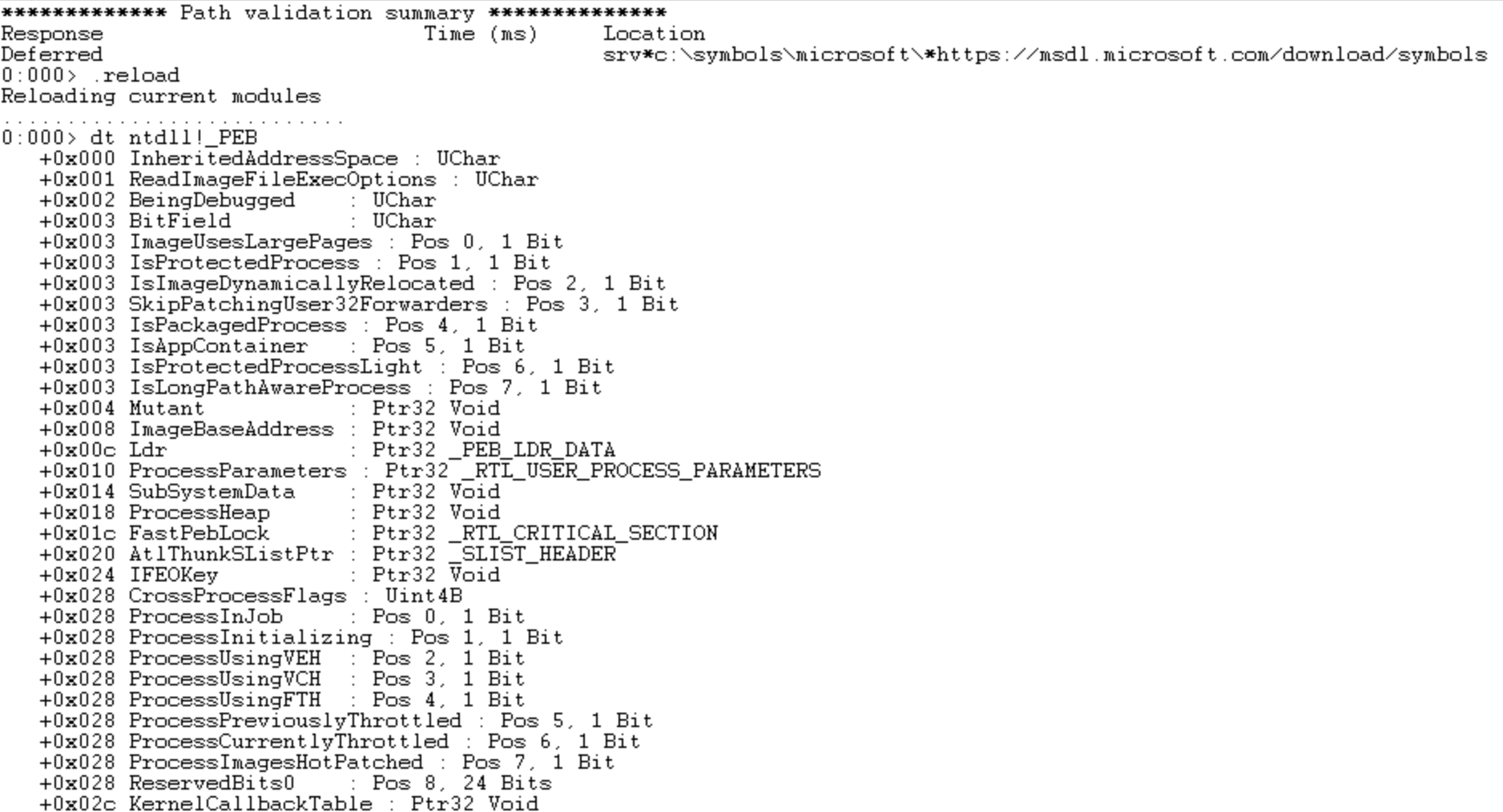
[!note] source: https://learn.microsoft.com/en-us/windows/win32/debug/pe-format#special-sections
Typical COFF sections contain code or data that linkers and Microsoft Win32 loaders process without special knowledge of the section contents. The contents are relevant only to the application that is being linked or executed. However, some COFF sections have special meanings when found in object files or image files. Tools and loaders recognize these sections because they have special flags set in the section header, because special locations in the image optional header point to them, or because the section name itself indicates a special function of the section. (Even if the section name itself does not indicate a special function of the section, the section name is dictated by convention, so the authors of this specification can refer to a section name in all cases.) The reserved sections and their attributes are described in the table below, followed by detailed descriptions for the section types that are persisted into executables and the section types that contain metadata for extensions.
.data Initialized data (free format) IMAGE_SCN_CNT_INITIALIZED_DATA | IMAGE_SCN_MEM_READ |
.rdata Read-only initialized data IMAGE_SCN_CNT_INITIALIZED_DATA | IMAGE_SCN_MEM_READ
Global and static variables are meant to be writable (read and write permissions) during the program’s execution (the course material mentions an encrypted payload that must be decrypted as an example).
Writable global and static variables are normally placed in .data. If they are not declared as static, they would be created inside a function’s runtime stack frame instead of stored as an object in the .data section.
Global and static constant variables are instead stored in the .rdata section, where the ‘r’ signifies ‘read-only’.
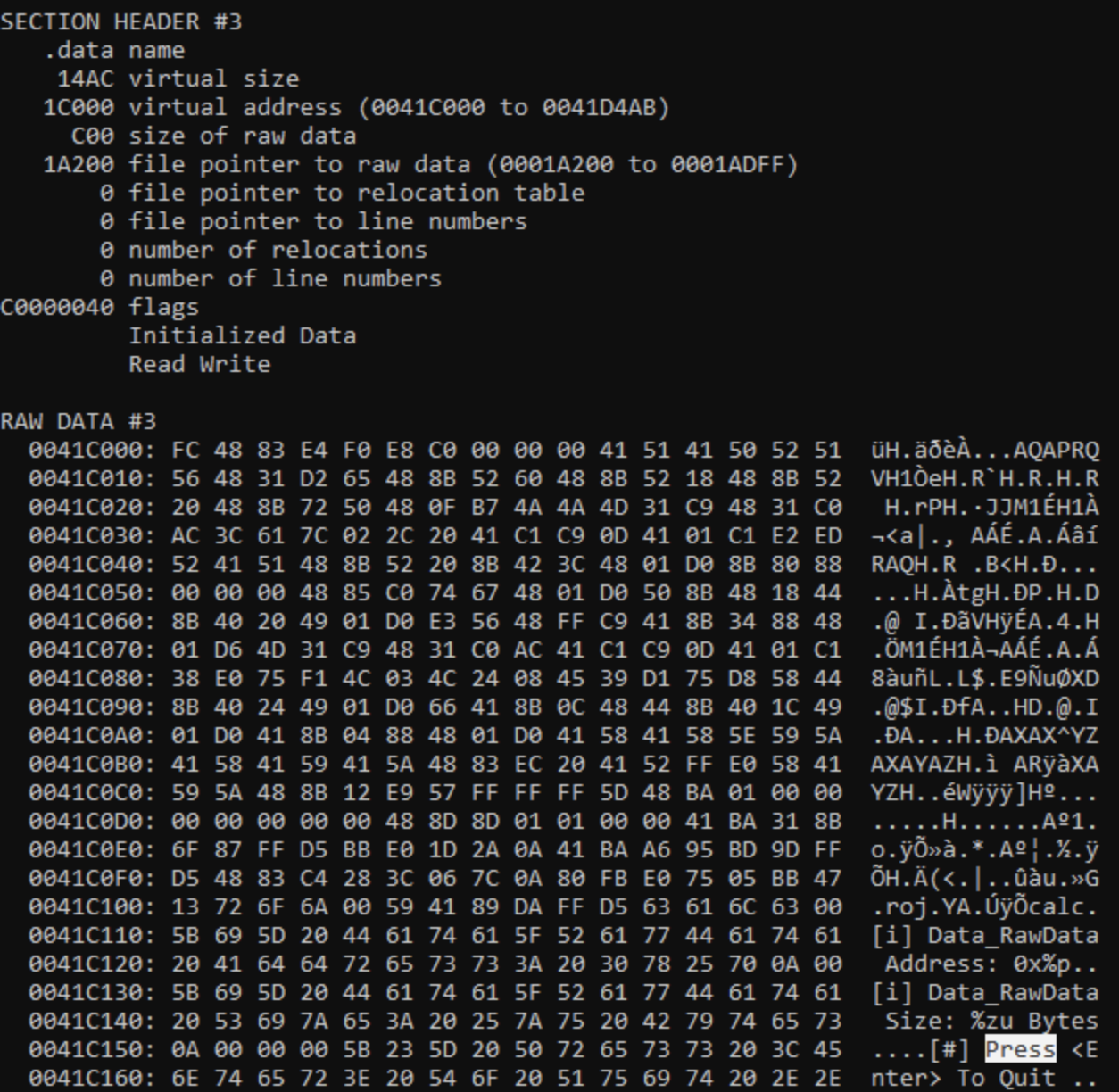
Using the course objective material’s code:
Understand the difference between placing data in a .text subsection and merging it directly into the compiler-generated .text section.
